> ## Documentation Index
> Fetch the complete documentation index at: https://docs.flashduty.com/llms.txt
> Use this file to discover all available pages before exploring further.
# What is a status page
> Achieve efficient internal and external communication during incidents through a unified service status dashboard
**Plan requirement**: All plans can create public status pages (Free and Standard: up to 1, Pro: up to 5). Internal status pages are available on the Pro plan only (up to 20). [Learn more](https://flashcat.cloud/flashduty/price/)
Service interruptions are inevitable, but communication efficiency can be systematically improved.
When service status fluctuates, relying on manual emails or instant messages for notifications can no longer meet enterprise requirements for information timeliness and consistency. Flashduty Status Page provides a standardized, unified information publishing window to ensure that both internal and external stakeholders maintain real-time awareness of service status.
Subscribe to the [Flashduty Official Status Page](https://status.flashcat.cloud/flashduty) to receive Flashduty service status updates first.
***
## Core Value
Through the "update once, sync everywhere" mechanism combined with subscription push mode, reduce repetitive inquiries at the source and let technical teams focus on problem resolution.
Proactively announce unexpected incidents and maintenance plans to eliminate speculation caused by information asymmetry, demonstrating professionalism and control amid uncertainty.
Continuously record status changes and generate visual availability statistics, transforming abstract SLA commitments into verifiable operational records.
***
## Status Page Types
To address different audience needs, Flashduty offers two types of status pages:
**For customers and partners**
* Open to all public internet users, accessible without sign in
* Help enterprises provide real-time, accurate service status updates to customers during incidents
* Proactively deliver critical information, ease customer anxiety, and build a professional brand image
* Users can subscribe to event updates via **email**
**For internal organization employees**
* Accessible only to internal organization users, requires Flashduty account sign in
* Provides a unified, real-time service status view
* Management can understand overall system health without diving into technical details
* Sales and customer support teams can accurately understand system status
* Users can receive real-time notifications via **IM integration** (Feishu/Lark, Dingtalk, WeCom, Slack)
***
## Core Concepts
### Components and Groups
Status pages organize and present different services through **Components**. Related components can be **Grouped** to make the status page structure clearer.
### Event Types
| Type | Description |
| --------------- | --------------------------------------------------------------------- |
| **Incident** | Unexpected events that affect service availability |
| **Maintenance** | Planned events to notify users in advance of possible service changes |
### Impact Status
In order of increasing severity:
* 🟢 Operational
* 🟡 Degraded Performance
* 🟠 Partial Outage
* 🔴 Full Outage
* 🟢 Operational
* 🔵 Under Maintenance
***
## FAQ
Both a status page (such as Flashduty Status Page) and an uptime monitor (such as Uptime Kuma) provide dashboards that display service availability.
The key differences are as follows:
| | Status Page | Uptime Monitor |
| ----------------------- | --------------------------------------------------------------------------------------------------------------------- | ---------------------------------------------------------------------------------------------------------------- |
| Audience | External customers & cross-functional internal teams | Internal operations / engineering teams |
| Typical deployment | Third-party hosted | Self-hosted |
| Monitoring approach | Does not perform monitoring probes itself; relies on reported events | Performs monitoring probes directly |
| Monitoring capabilities | Rich event information, including affected services, severity, and lifecycle | Basic service checks such as website / API / DNS / port availability |
| Notification model | End users can self-subscribe to updates | Notification channels are configured by operations teams |
| Focus | Enables transparent internal and external communication by publishing events during incident response and maintenance | Generates alerts through simple monitoring mechanisms (e.g. periodic Ping) to notify technical teams of failures |
If you only need a simple self-monitoring tool for **service availability checks** (such as domain or port probing), an uptime monitoring tool is recommended.\
If you need a **formal service status dashboard and notification system** for external customers or internal organizations, Flashduty Status Page is the better choice.
**Access Control**
* **Public status pages** are accessible to anyone on the public internet and do not require login.
* **Internal status pages** are restricted to organization members and require authentication with a Flashduty account.
**Management Permissions**
Status page management follows Flashduty’s RBAC permission model. Administrators can assign the following roles:
* **Status Page Management**: Create, edit, and delete status pages; manage subscriptions.
* **Status Page Event Management**: Publish, edit, and delete events on status pages.
Flashduty Status Pages support two types of events:
* **Incidents**: Unplanned events that impact service availability.
* **Maintenance**: Planned events used to notify users in advance of potential service impact.
Currently, events are published manually through the Flashduty status page management interface. To simplify this process, Flashduty provides event templates that allow teams to quickly publish incident or maintenance updates with minimal effort.
In the near future, Flashduty will introduce workflow support within the Oncall incident management module. This will allow predefined rules to automatically publish relevant incidents to associated status pages, enabling seamless integration between Oncall incidents and status page updates.
Flashduty Status Pages use components to organize and represent services. A component represents a specific functional unit within a system or service.
This component-based structure allows services to be broken down into independent units, clearly defining the scope of impact for each event. Related components can be grouped to improve clarity and structure.
**Incident impact levels for components:**
* Operational
* Degraded
* Partial Outage
* Full Outage
**Maintenance impact levels for components:**
* Operational
* Under Maintenance
Users can actively subscribe to service status updates. When publishing an event, administrators can choose whether to notify subscribers, allowing flexible control over notifications.
* For public status pages, subscribers receive updates via email.
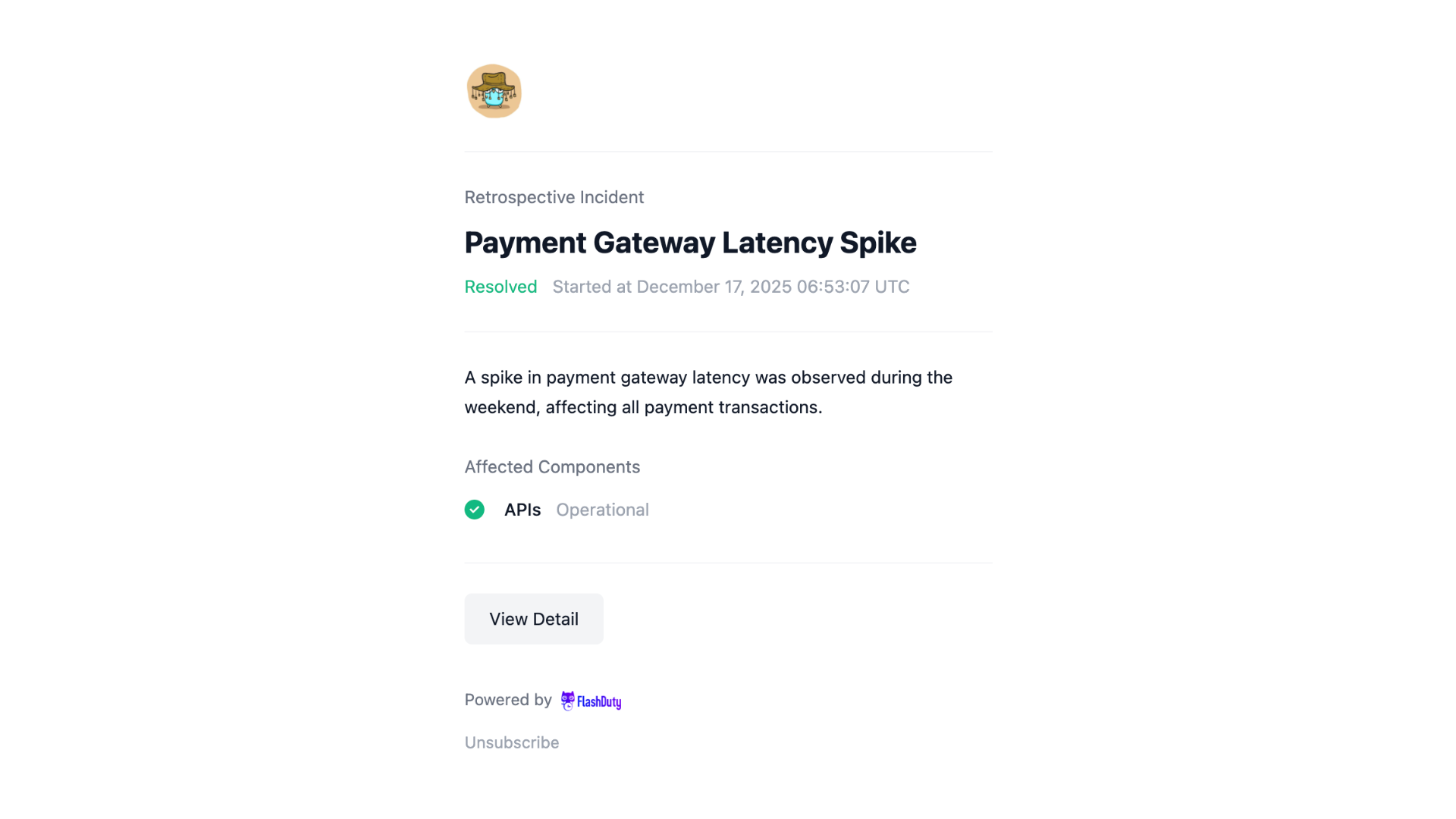
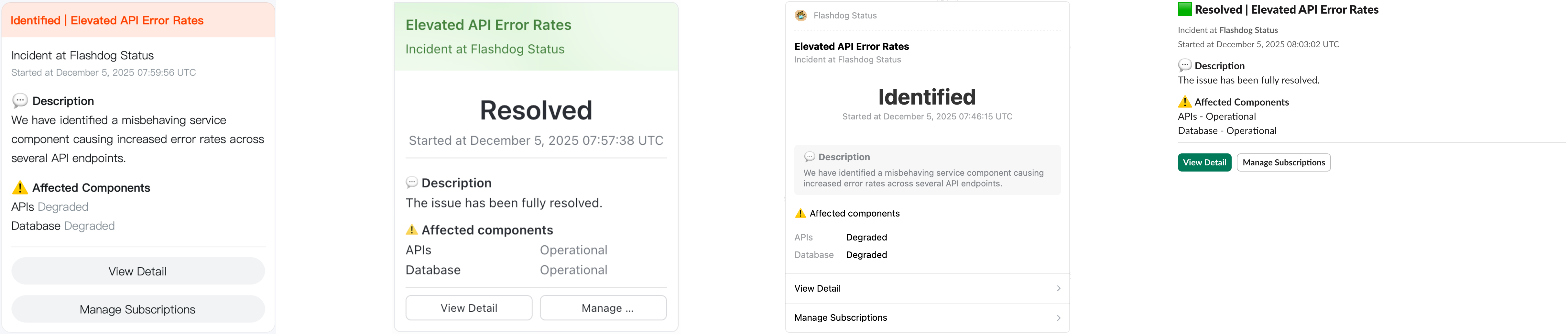
* For internal status pages, users can bind their preferred IM integrations in Flashduty notification settings to receive real-time direct messages. Flashduty currently supports Feishu, DingTalk, WeCom, and Slack.
No. Users can choose their subscription scope. They may subscribe to all updates on a status page or only to specific services or events.
Component-based and event-based subscriptions ensure that users receive only relevant information, reducing unnecessary notification noise.
For a component, **Partial Outage** and **Full Outage** durations are counted as downtime. Although maintenance may impact service behavior, maintenance time is excluded from service uptime calculations.
Component availability is calculated over a rolling quarterly window and is defined as the ratio of uptime to total available time.
Group availability is also calculated quarterly and is defined as the sum of uptime across all components in the group divided by the sum of their total available time.
The system calculates impact periods for each component by replaying component status changes from event timelines. **Maintenance** events follow a separate rule: components are marked Under Maintenance only within the actual execution window (from the transition to Ongoing until closure); a scheduled maintenance that has not yet started does not affect availability charts or the calendar view. Components and sections set to "Hide all" are excluded from uptime calculations. Components and sections set to "Hide uptime" are included in calculations but their statistics are not displayed publicly. You can choose the uptime display mode in status page settings: chart and percentage, chart only, or none.
In some cases, teams must prioritize investigation and recovery and are unable to update the Flashduty status page in real time. During system migrations, existing availability records may also need to be preserved.
Flashduty supports **retrospective events**, which allow teams to publish service status changes after they have occurred.
With retrospective events, users can declare a past incident or maintenance event, accurately setting start time, end time, and affected components. Event updates can still be constructed chronologically to clearly reflect service behavior throughout the event lifecycle.
Retrospective events are displayed in the same way as regular events and are included in event history and availability statistics, ensuring a complete and accurate operational record.
Flashduty Status Pages support dark mode. You can upload both a **standard logo** and a **dark logo**. The system automatically switches to the appropriate logo based on the user's browser theme. If only the standard logo is uploaded, it will also be used in dark mode.
Yes. You can configure a custom domain for your status page (e.g., `status.yourcompany.com`). Simply add a CNAME record in your DNS provider pointing to the Flashduty-provided status page address, then enter the custom domain in the status page settings. Custom domains must be globally unique across the platform and cannot be shared by multiple status pages.
After you configure a custom domain, Flashduty automatically **issues, renews, and publishes HTTPS certificates** for it. Two DNS verification records are required before issuance. After configuring them, click **Check configuration** in the status page settings to view the verification status:
* **Access entry record** (CNAME): points your domain to a managed access entry — `cn.statuspage.flashduty.com` for the mainland China entry, or `statuspage.flashduty.com` for the international entry.
* **Certificate management record** (dns-01 delegation): a CNAME record under the `_acme-challenge` prefix that delegates certificate validation to Flashcat-managed DNS. The exact record value is shown by **Check configuration**.
Once both records pass verification, the system issues and publishes the certificate, and the domain is served over HTTPS.
If your domain still points to the legacy entry `statuspage.flashcat.cloud`, the system pre-issues and publishes the certificate as long as the certificate management record passes verification, so switching DNS to a managed access entry later causes no HTTPS interruption.
Internal status pages support sending event notifications to organization members through IM integrations. Users need to link their IM accounts in Flashduty notification settings to receive direct message push notifications. Currently supported IM platforms include Feishu (Lark), Dingtalk, WeCom, and Slack. Public status pages do not support IM subscriptions — only email subscriptions are available.
The Flashduty Status Page is included as part of the **Oncall** module and is not sold separately. Status page limits by plan are as follows:
* **Free and Standard plans**: 1 public status page
* **Professional and Private plans**: up to 5 public status pages and up to 20 internal status pages
We recommend organizing internal status pages by business line or major platform. If you have special requirements, please contact Flashduty support for consultation.
**Usage limits and access considerations**:
* Email notifications for public status pages are subject to plan-specific email quotas.
* IM notifications for internal status pages are subject to API rate limits of the integrated IM platforms and typically depend on the organization’s IM plan.
* Access traffic for all status pages is unlimited.