

Core Uses
Labels are used throughout Flashduty On-call’s alert processing workflow:Configure Label Enhancement
Go to Integration Details → Label Enhancement → Add Rule.An empty rule list disables label enhancement: Label enhancement rules can be saved as an empty list. After you delete all rules and save, the integration no longer performs any label enhancement, matching the integration’s initial state; this applies to both alert events and change events. After you delete the last rule, the edit page shows the No label rules empty state — click Add label rule to configure rules again.
Enhancement Types
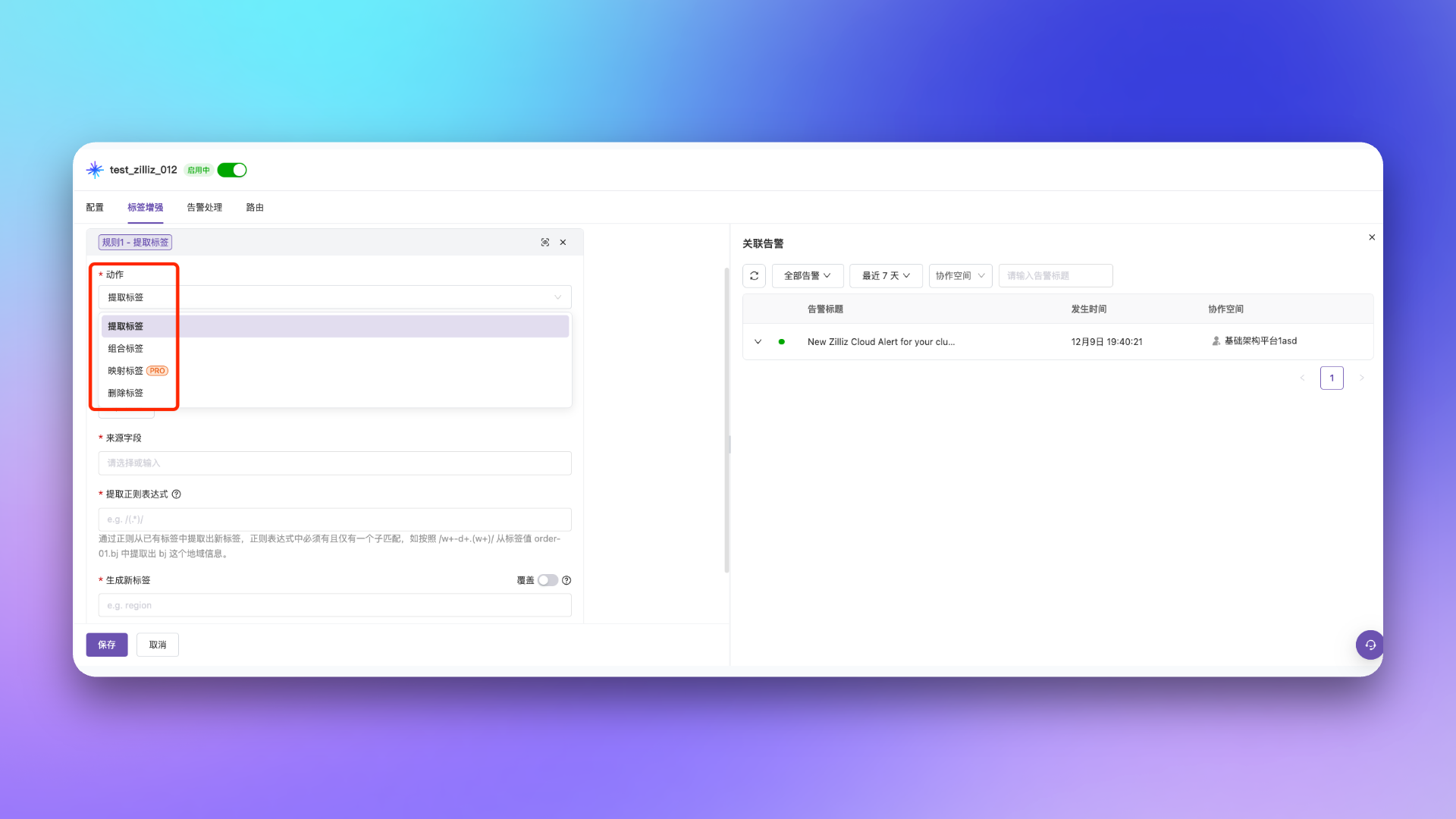
Configuration Options
Condition Fields
Label enhancement rules apply to both alert events and change events, and the fields usable in conditions are the union of the two:Condition fields are validated when a rule is saved: fields outside this vocabulary (such as typos, or fields belonging to other rule families like
incident_severity or dedup_key) cause the save to fail with an error. Rules saved before this validation was introduced are unaffected, but re-saving a rule containing an unsupported field fails.Configuration Examples
- Label Extraction
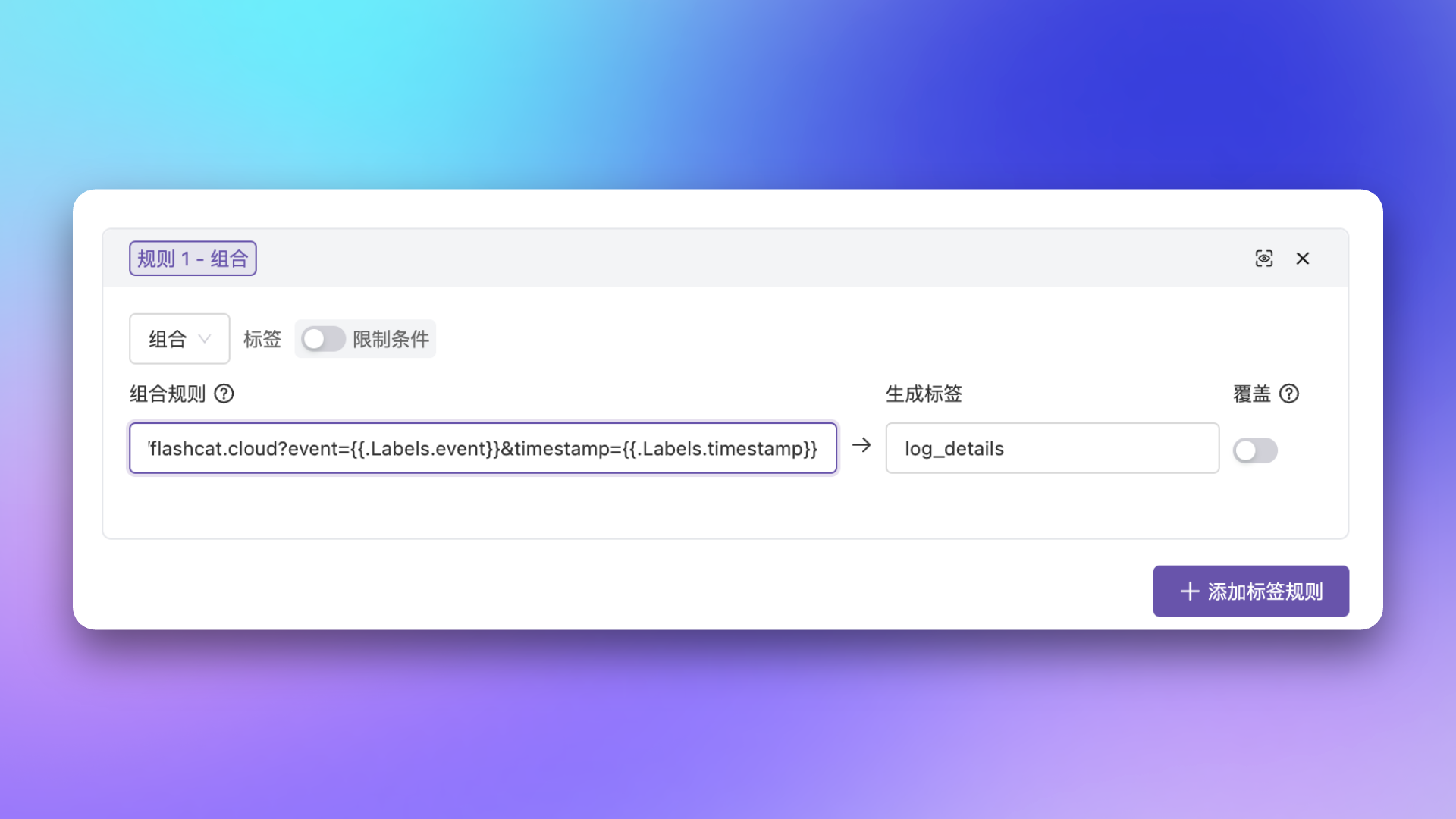
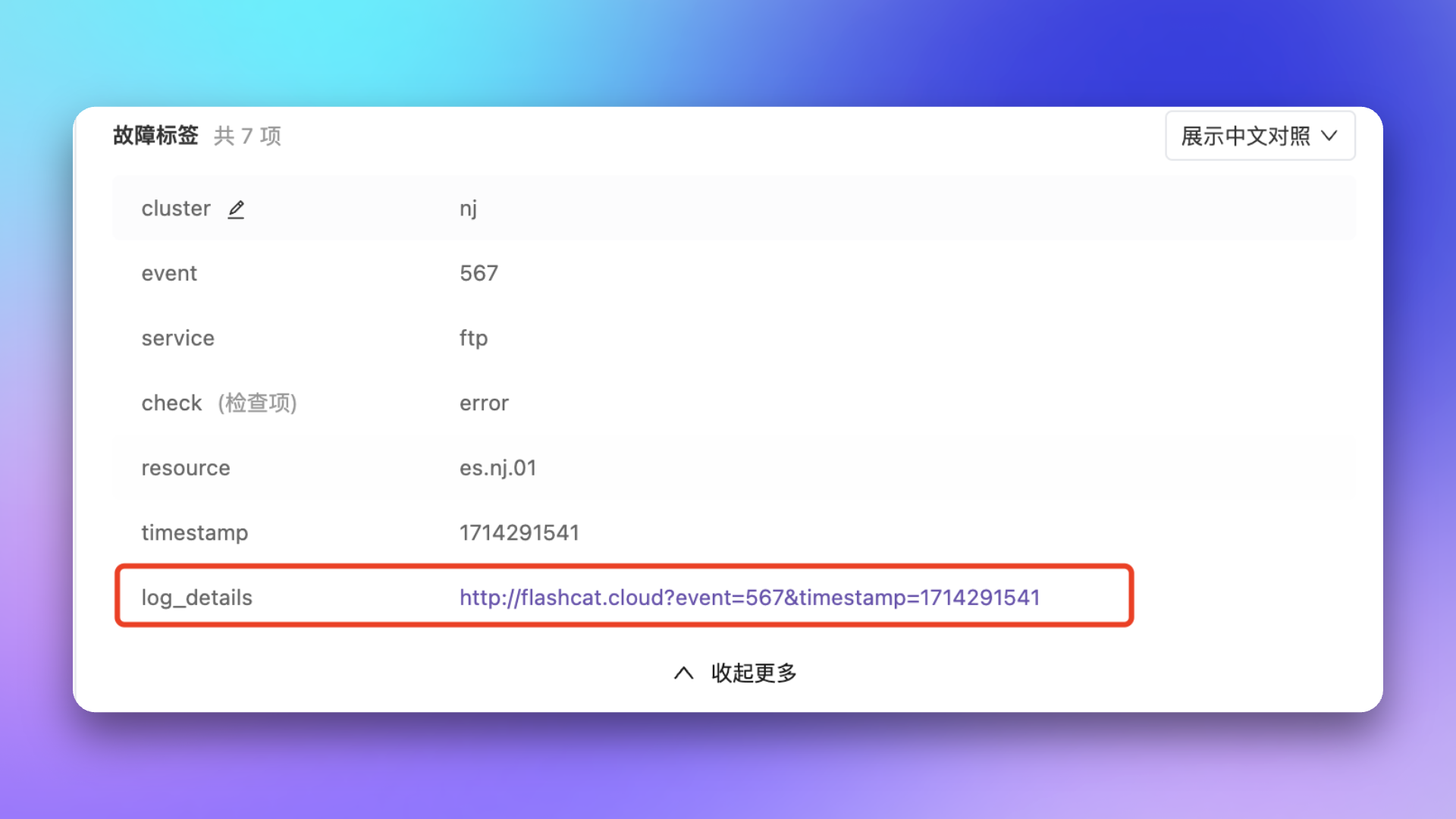
- Label Combination
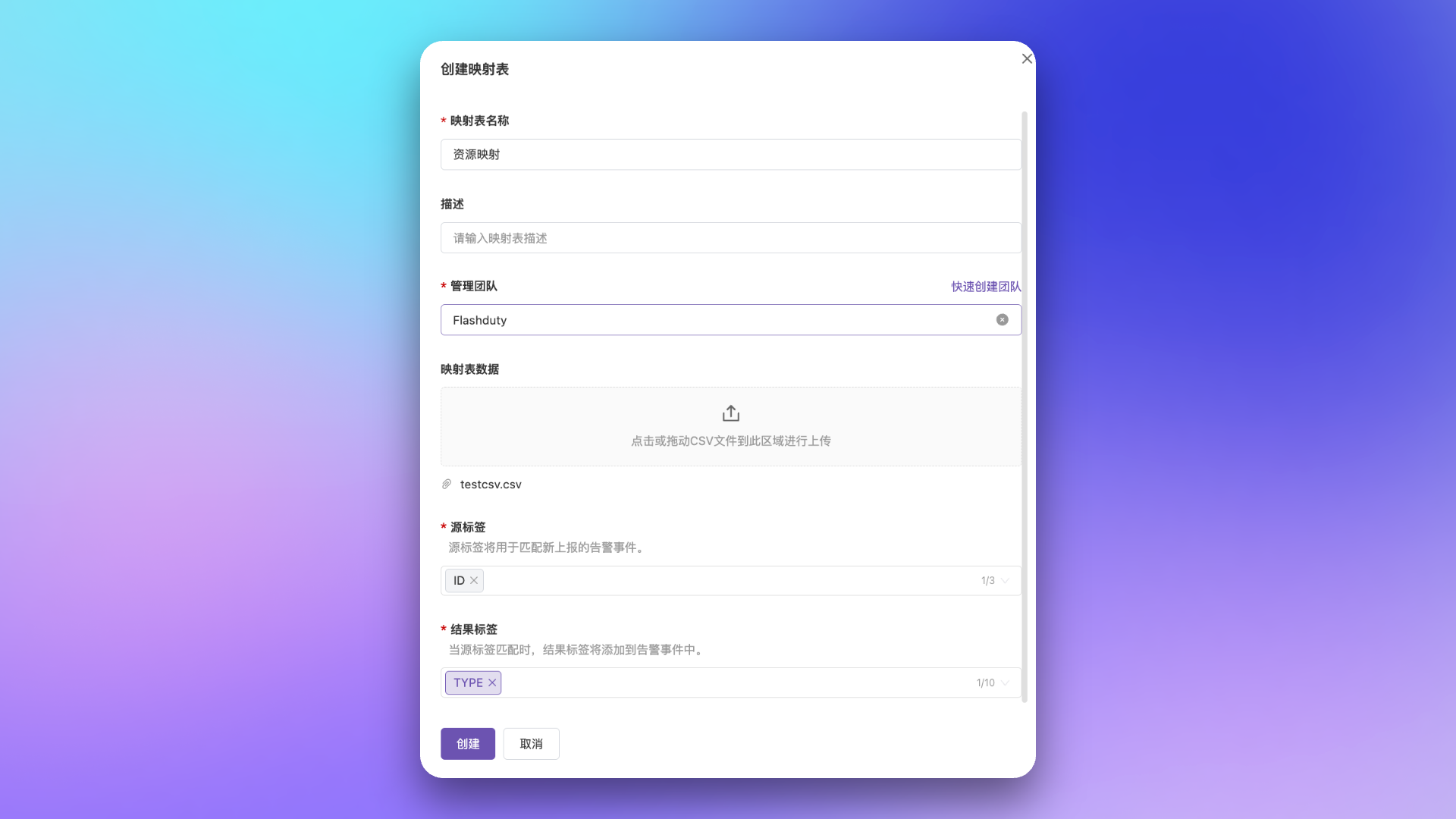
- Label Mapping
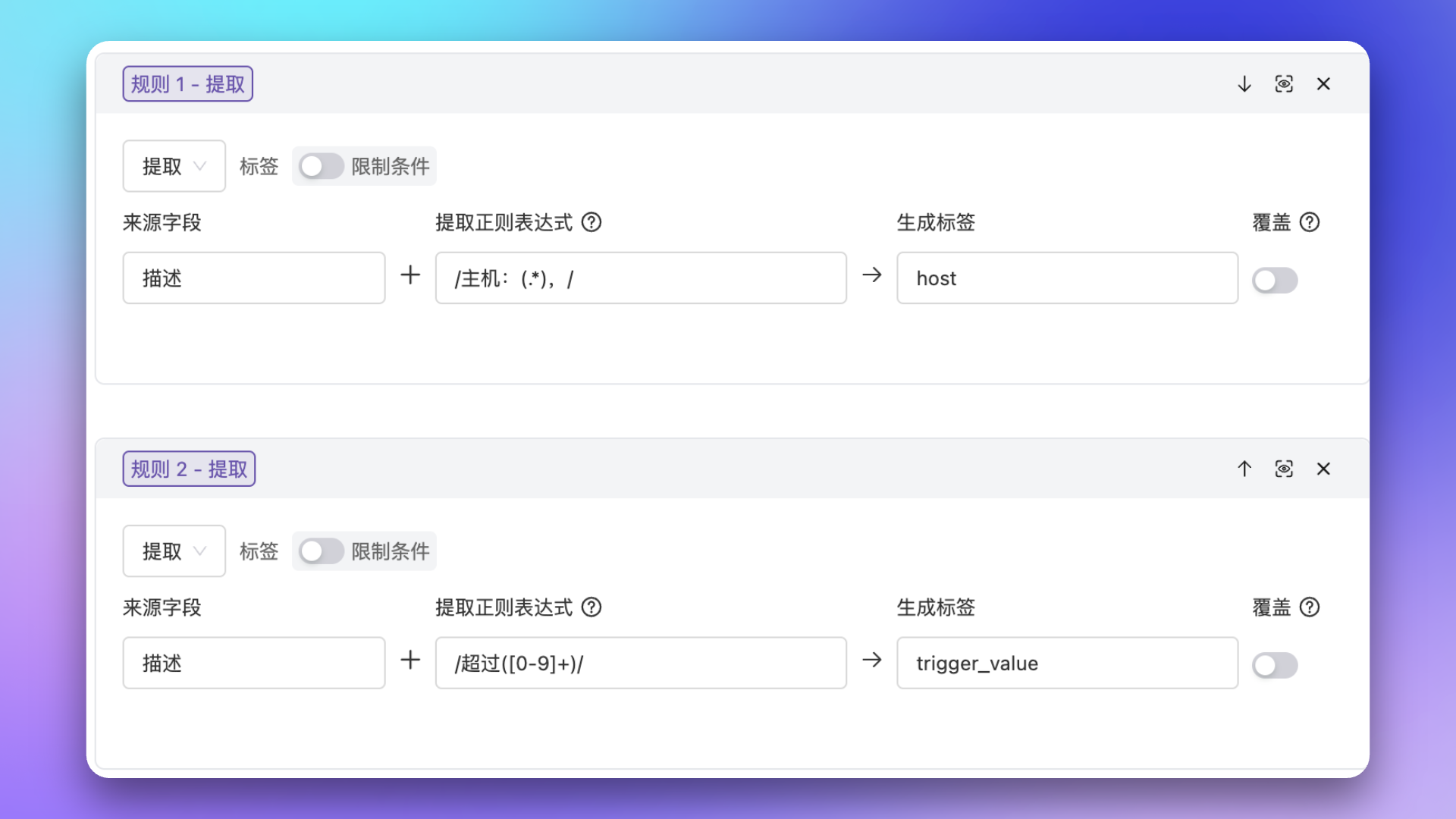
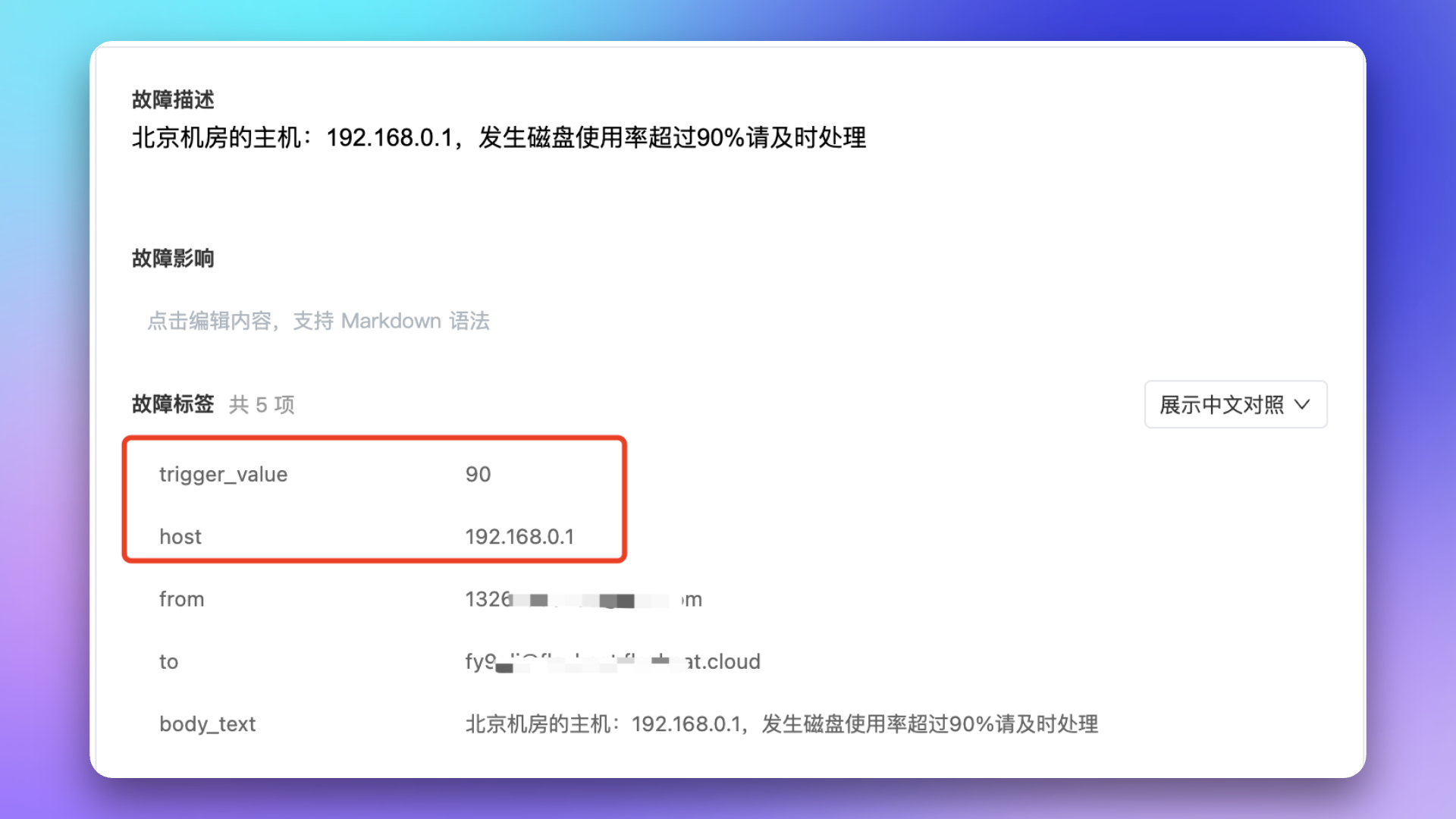
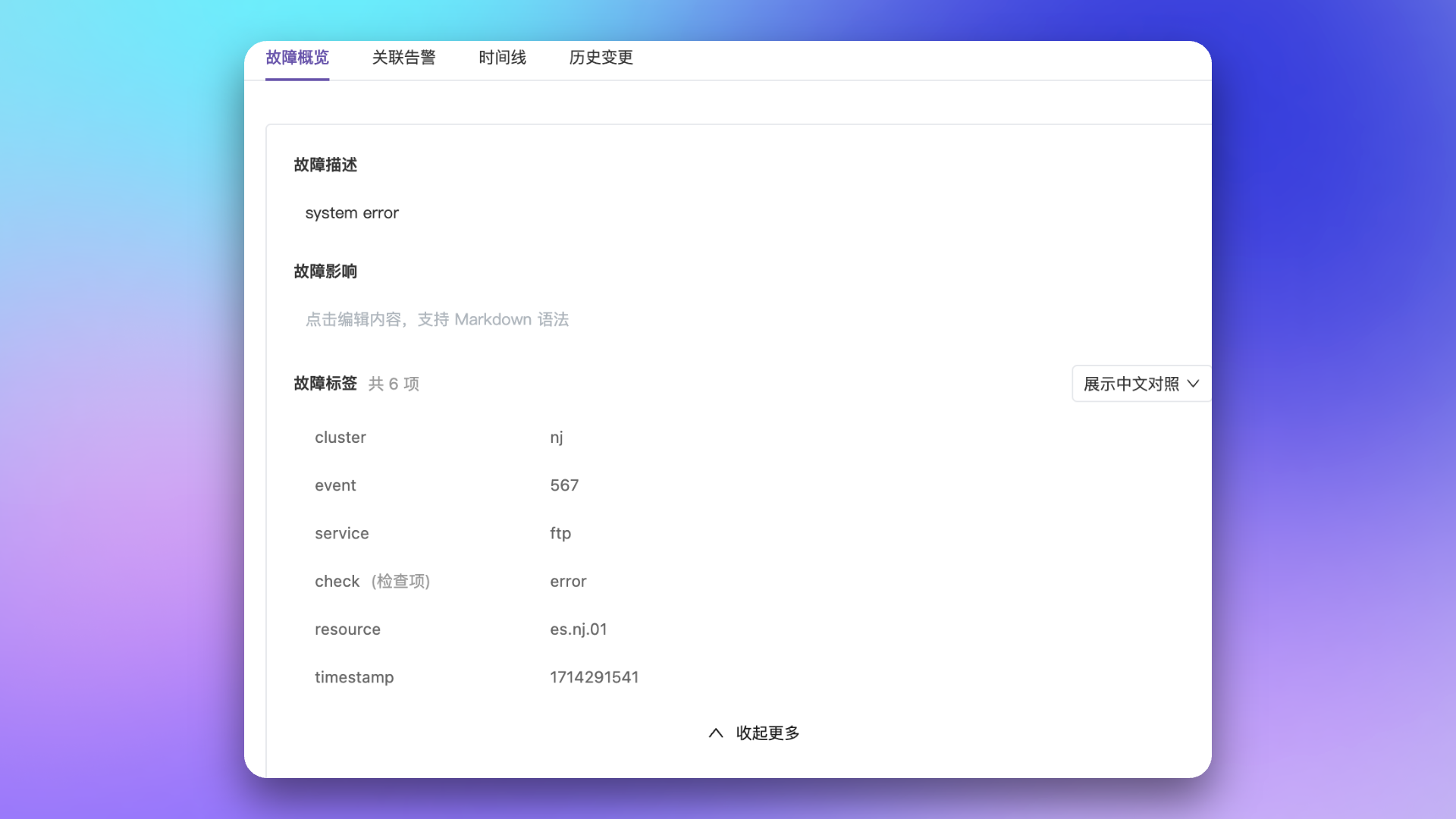
Scenario: Alert events come from email integration; need to extract key information from description as labels for other scenarios, like extracting IP and trigger value from description as independent labels.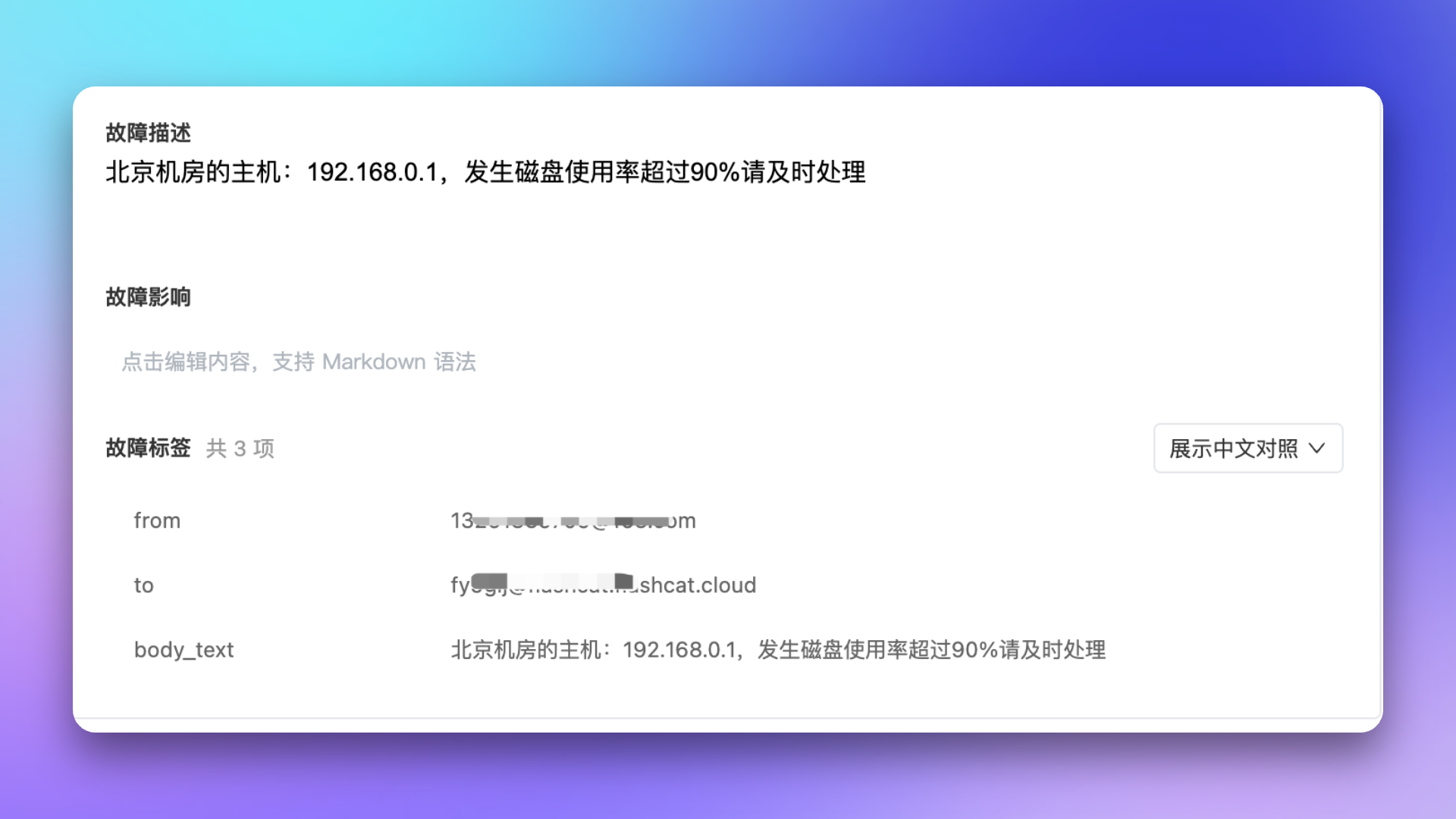
1
View Original Alert
2
Configure Extraction Rule
3
Verify Extraction Result
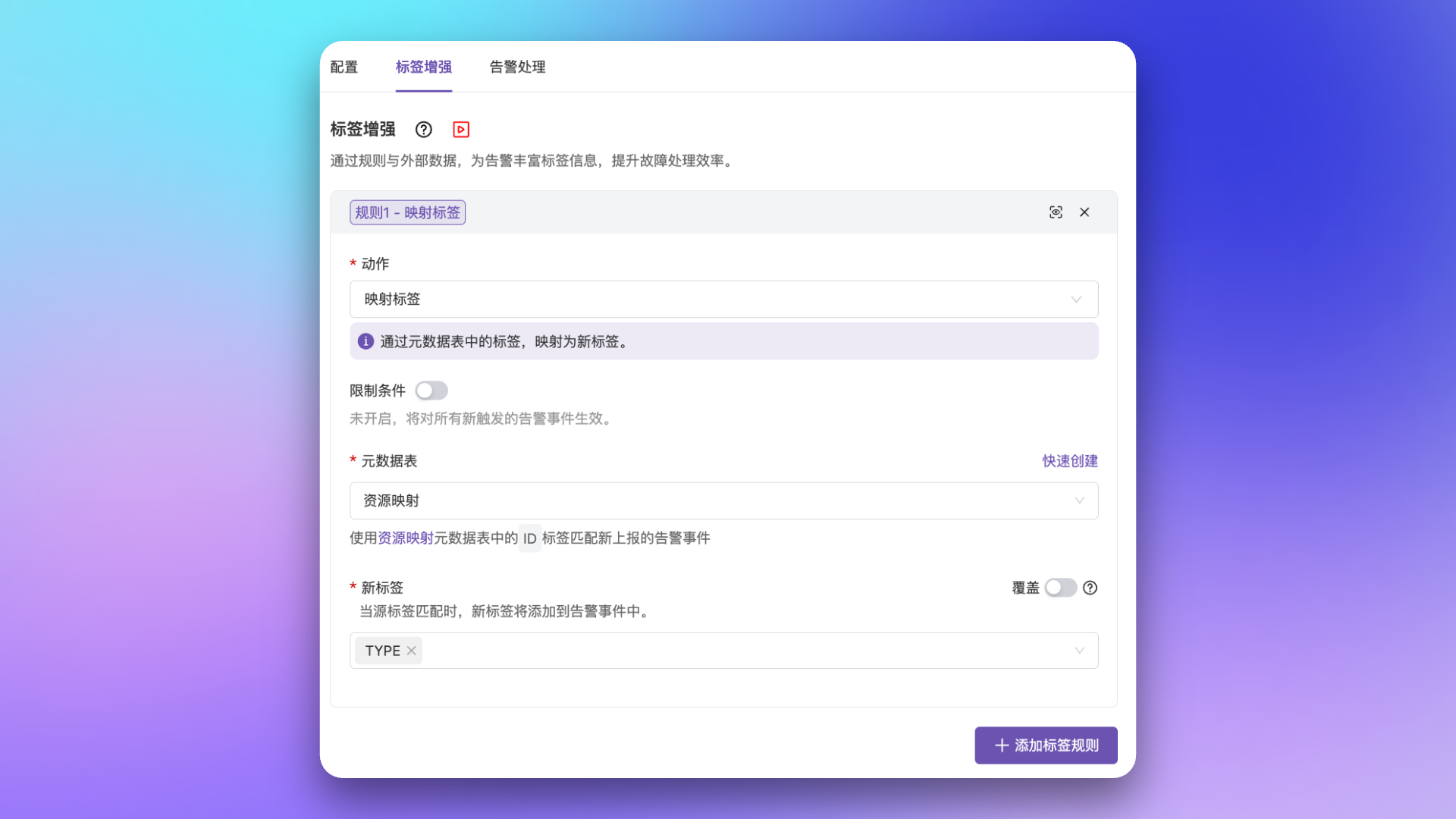
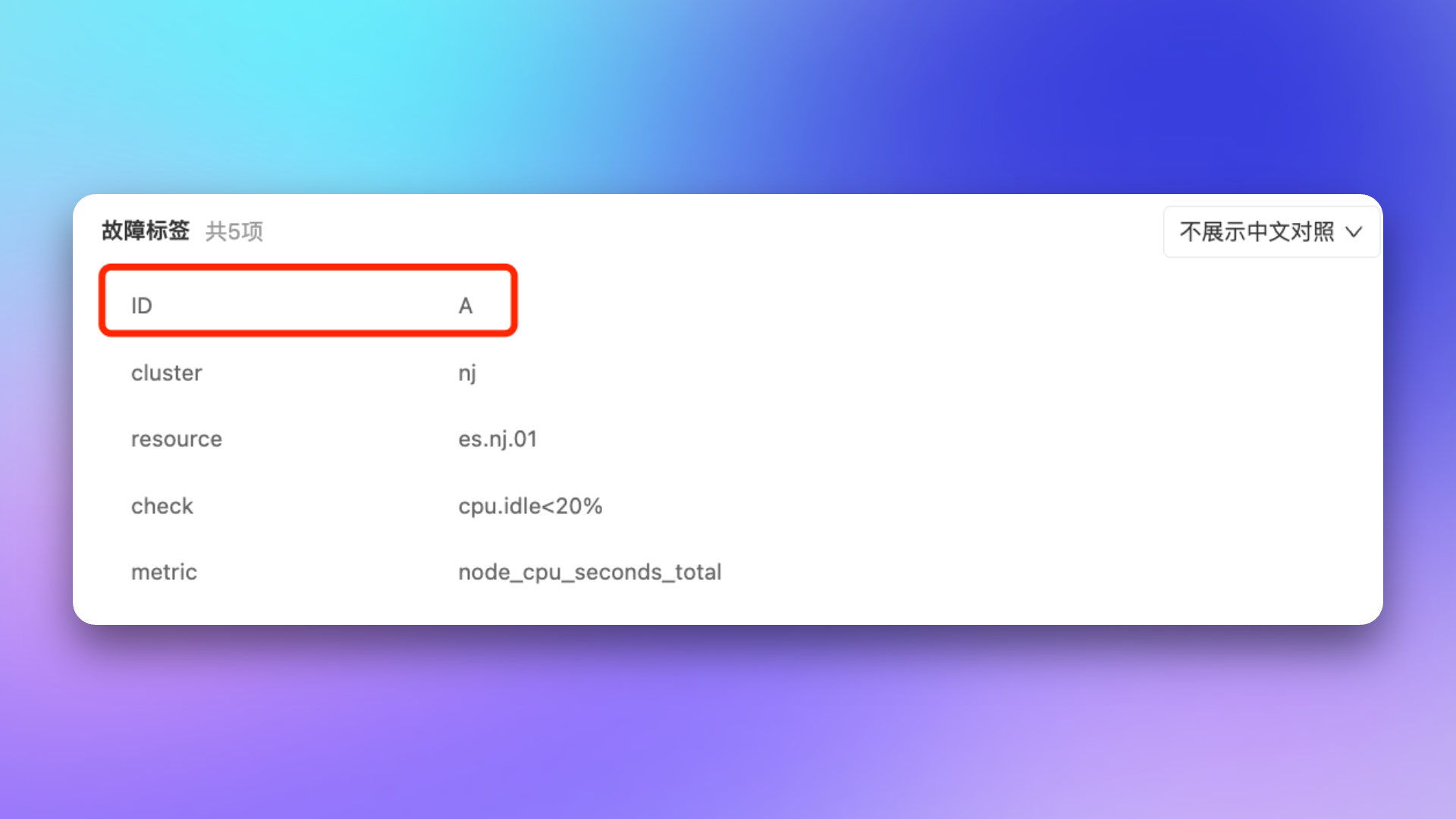
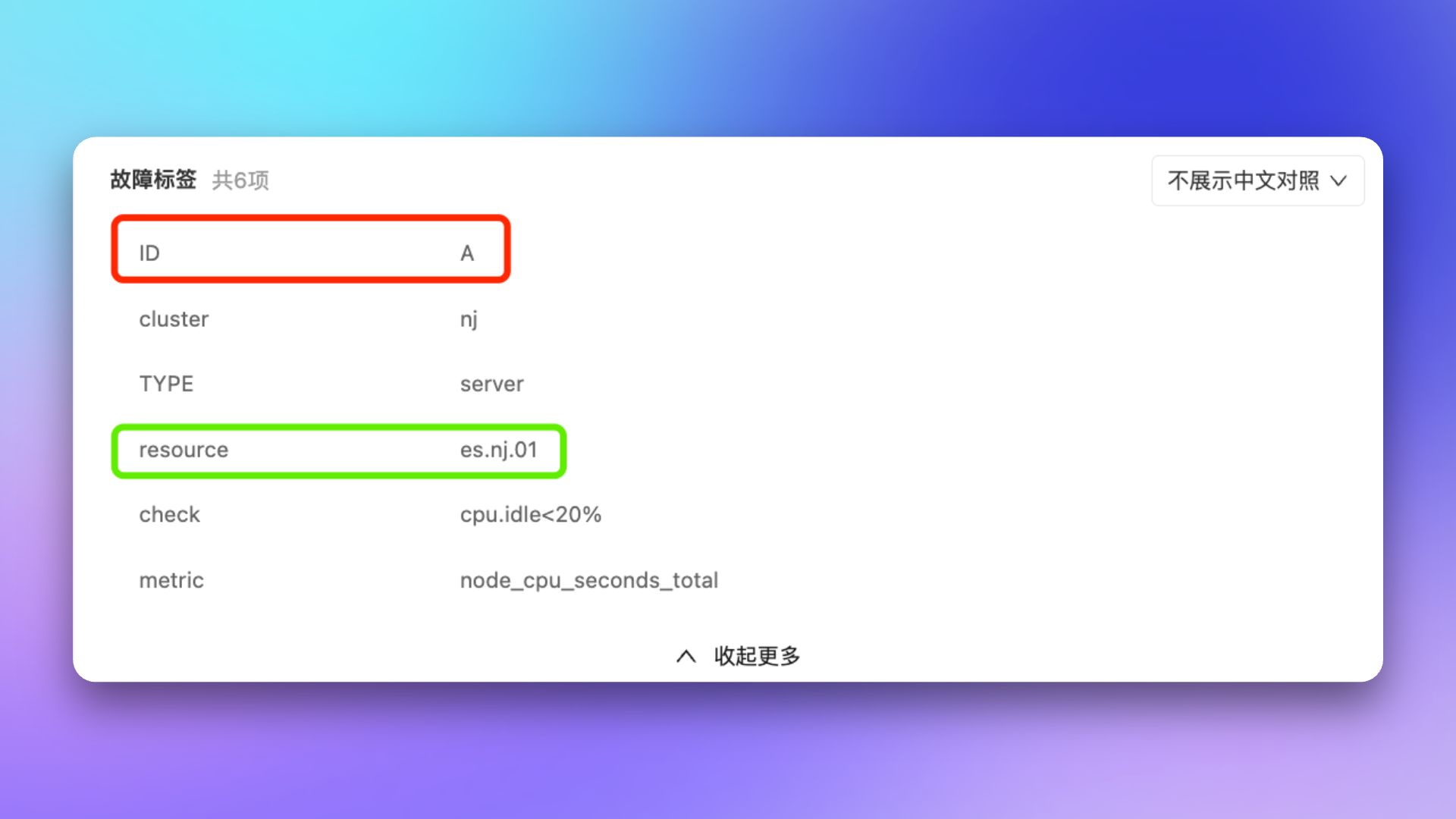
Mapping Data Management
Each account can create up to 20 mapping tables and 50 mapping services (APIs). Creation fails with a limit-exceeded error once the quota is reached.
Mapping Table Data Management
In the mapping table details page, you can manage mapping table data: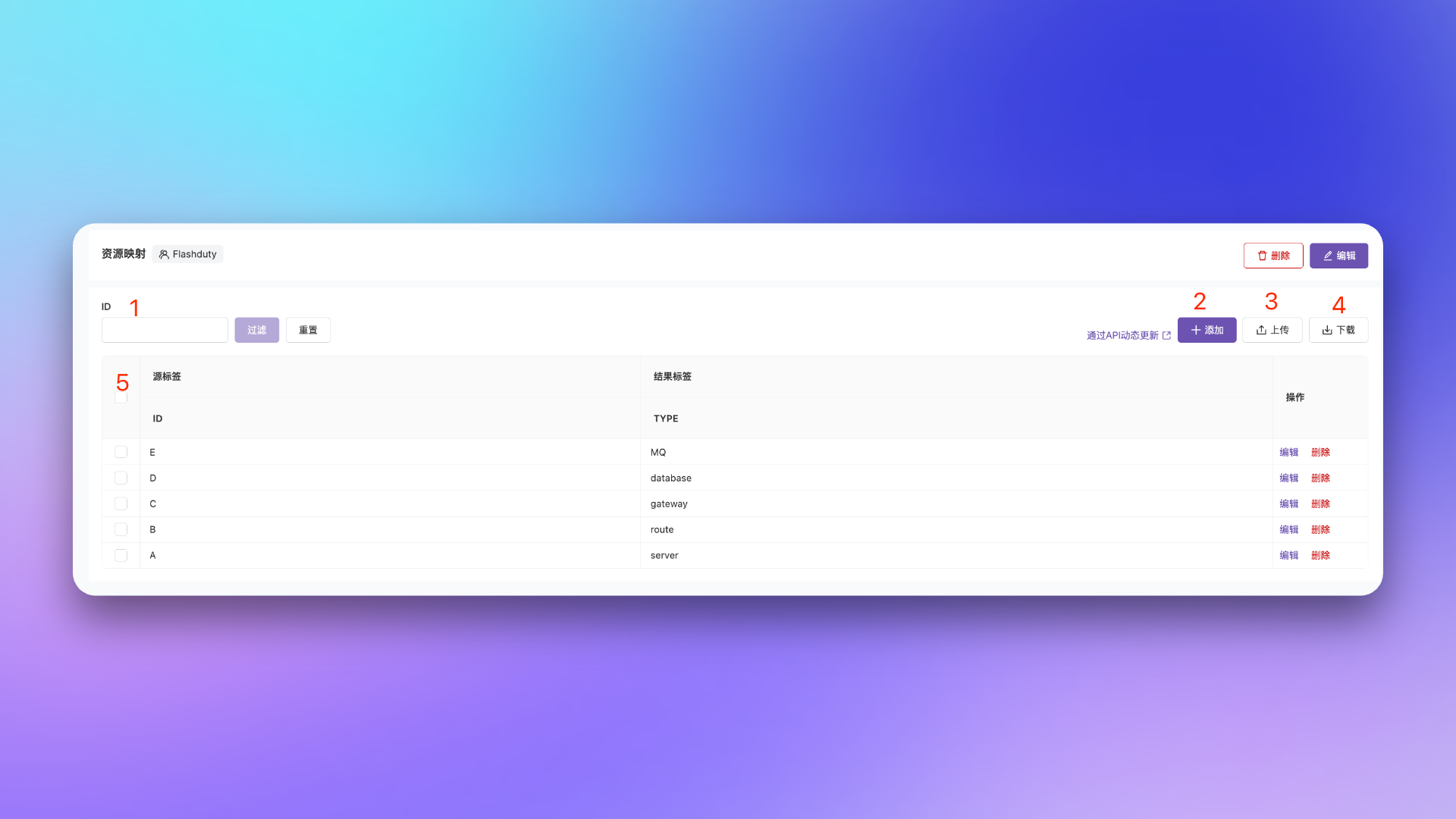
Mapping Service API Specification
When using API mapping, your external API service must follow these specifications:Request Specification
Flashduty will call your API viaPOST method with the following request body:
Response Specification
The API must return a JSON response in the following format: Success Response (HTTP 200):If a requested label cannot find a corresponding value, the API should not include that key in
result_labels.Security Constraints
For security purposes, the following HTTP Headers are prohibited in mapping services:Best Practices
- Performance First: The API is on the critical path of alert processing, must ensure low latency (recommended < 500ms)
- Implement Caching: For identical query conditions, implement caching to improve performance
- Idempotent Design: Multiple calls for the same event should return identical results
- Secure Authentication: API must be protected by authentication mechanisms to prevent unauthorized access
Further Reading
Configure Escalation Rules
Use labels to match escalation conditions
Configure Noise Reduction
Use labels as grouping dimensions
Configure Filter Conditions
Learn label matching syntax
Configure Routing Rules
Distribute alerts to different channels