Preparation
1
Login or Register Authing
If you’re a new user, you need to create a user pool first—follow the prompts to create one.
2
Create Application
- Select standard web application
- Fill in application name
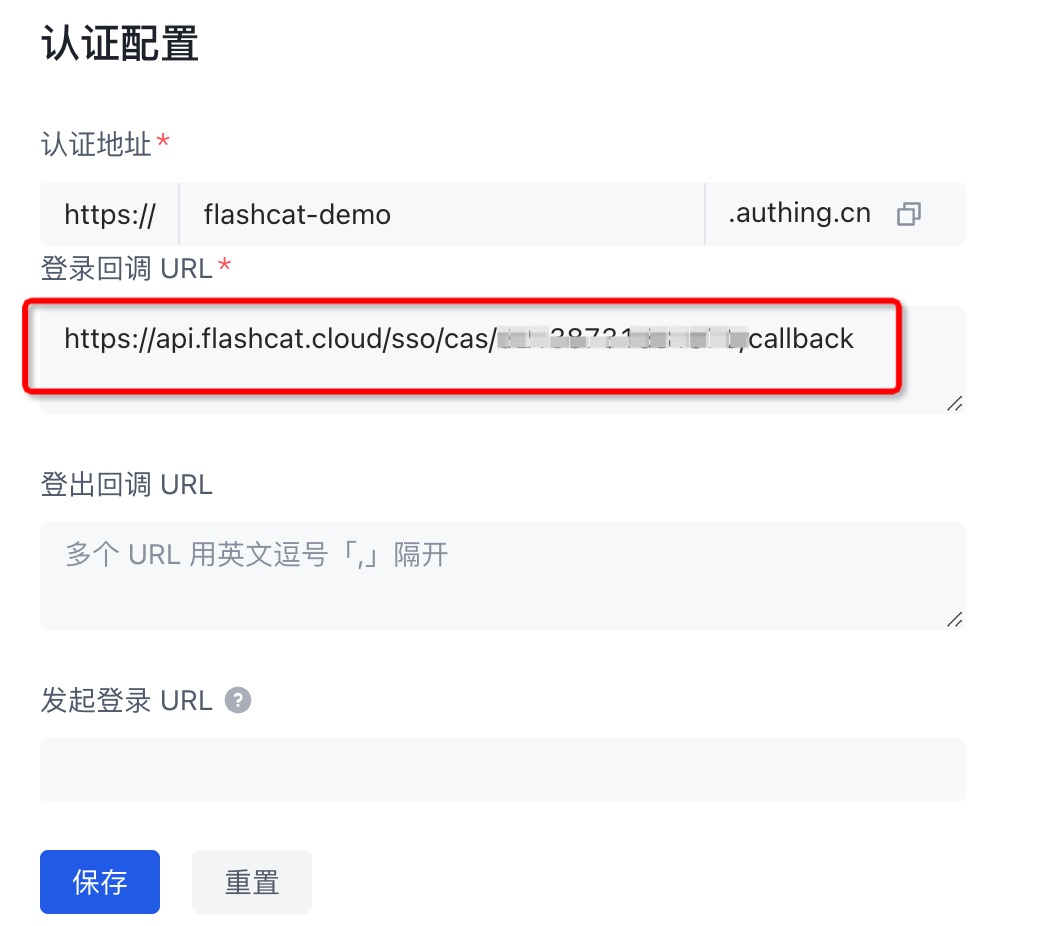
- Fill in authentication URL (the URL to redirect to during SSO login)

3
Record Information

Protocol Configuration
- OIDC Protocol
- SAML2.0 Protocol
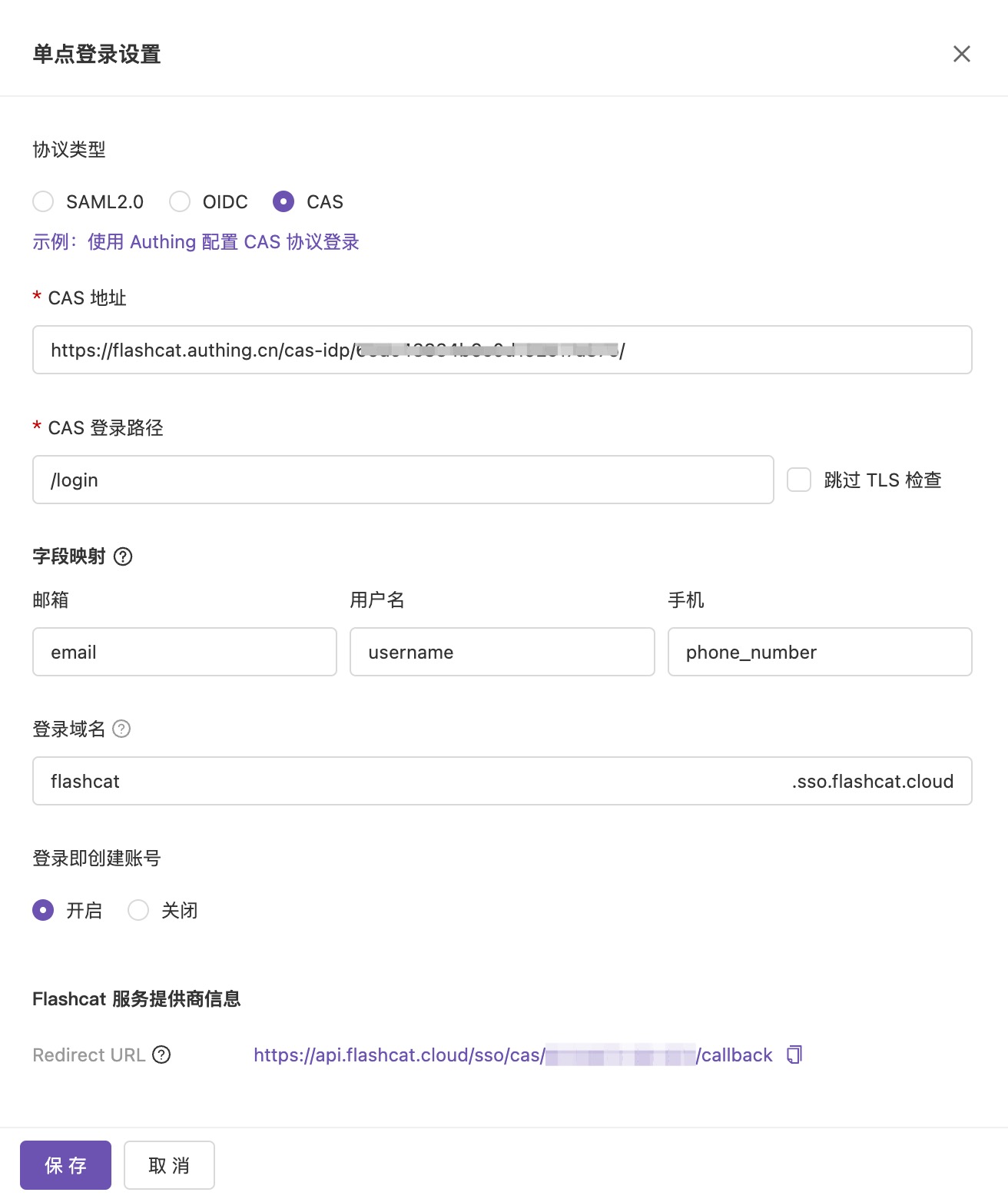
- CAS Protocol
1. Enable Single Sign-On Configuration
Open Flashduty console and enable single sign-on configuration.
2. Configure Information
Copy Authing application information to the corresponding fields: Copy the Redirect URL domain to Authing’s login callback URL:
3. Modify Authing Configuration
Change id_token signing algorithm to RS256: Configure login control:
 Modify permissions:
4. Create User and Test Login
Flashduty associates members by email by default, so create users with an email address. New SSO configurations can also associate members via a stable user ID field — see Single Sign-On configuration.
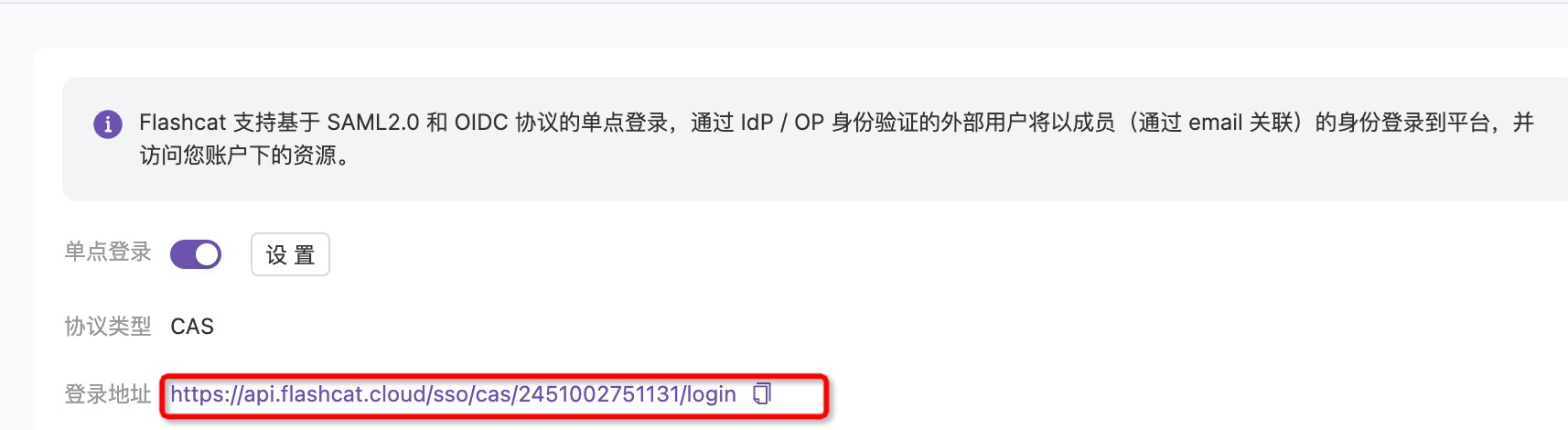
 Test login using SSO URL:
 After SSO URL redirects to the login page, use the user created in Authing to login to Flashduty console: