

In Flashduty
You can obtain an integration push URL through either of these two methods:
Using Private Integration
Choose this simpler option when you don’t need to route alert events to different channels.Using Shared Integration
Choose this option when you need to route alerts to different channels based on the alert event payload.Configure in AWS EventBridge
Use either of the following delivery methods.
Option 1: API destination
Step 1: Create Connection in API destinations
- Log in to your AWS Console, search for
Amazon EventBridgeproduct, and enter the corresponding product console - Select
Integration=>API destinationsfrom the left navigation bar - Click
Connections, then clickCreate connection
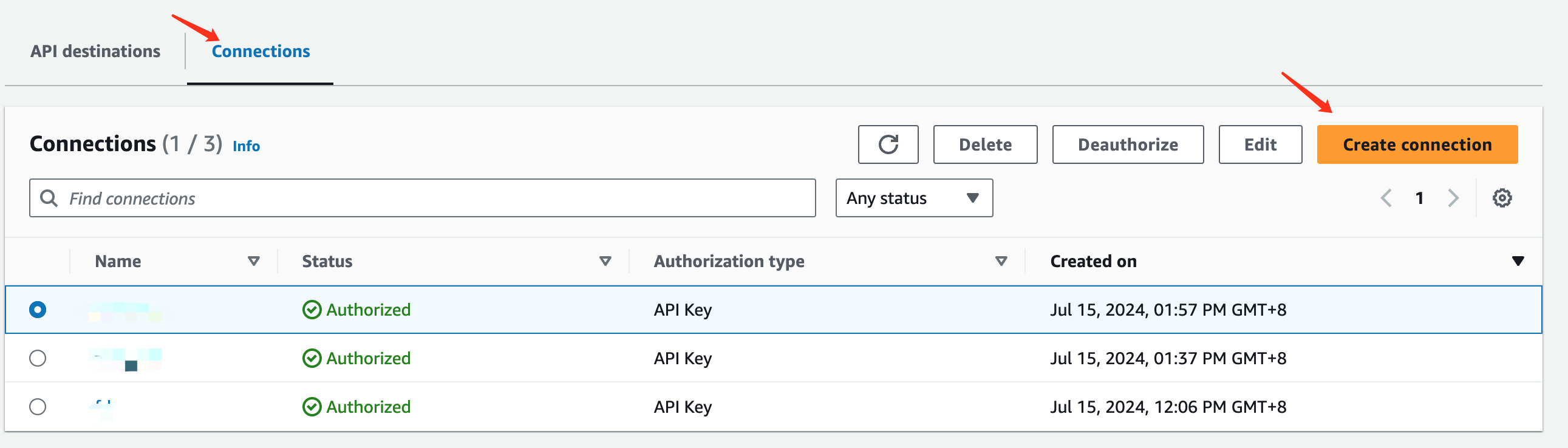
- In the
Connection detailssection, enterFlashdutyforConnection name - In the
Authorizationsection, selectOtherforDestination type - Select
API KeyforAuthorization type - Enter
FlashdutyforAPI key name, and enter theintegration_keyfrom the integration push URL forValue - Click
Createto save
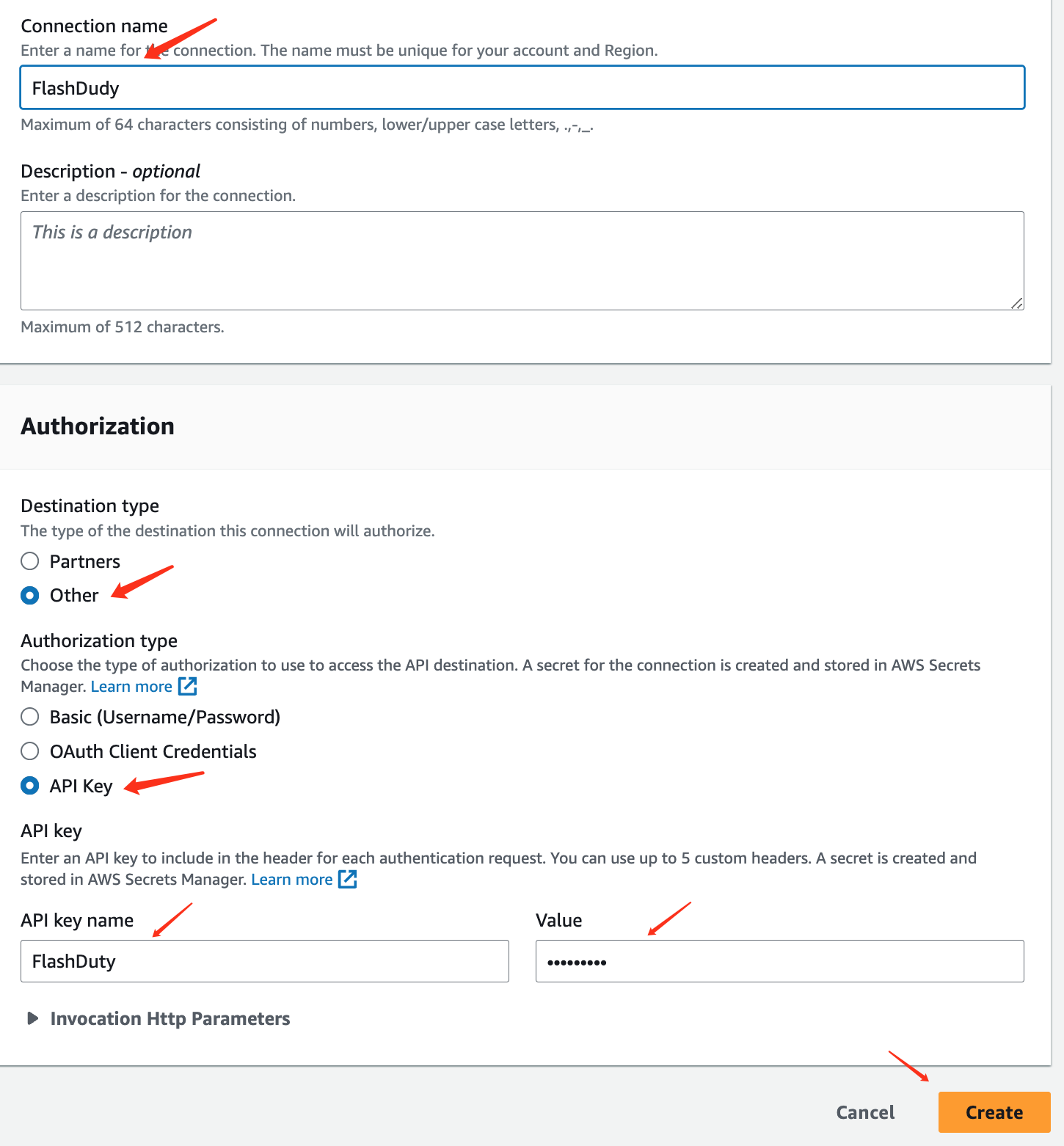
Step 2: Create API destination
- Return to the
API destinationsinterface and clickCreate API destination
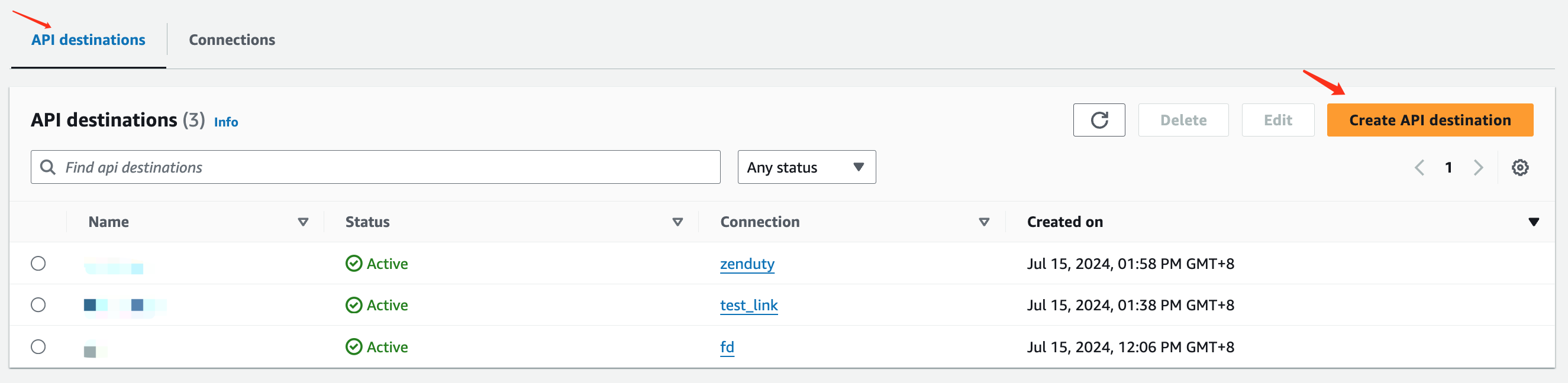
- Fill in the information in the
API destination detailediting interface, enterFlashdutyforName - Enter the integration push URL for
API destination endpoint - Select
POSTforHTTP method - Select
Use an existing connectionforConnection typeand choose theFlashdutyConnection added in Step 1 - Click
Createto save
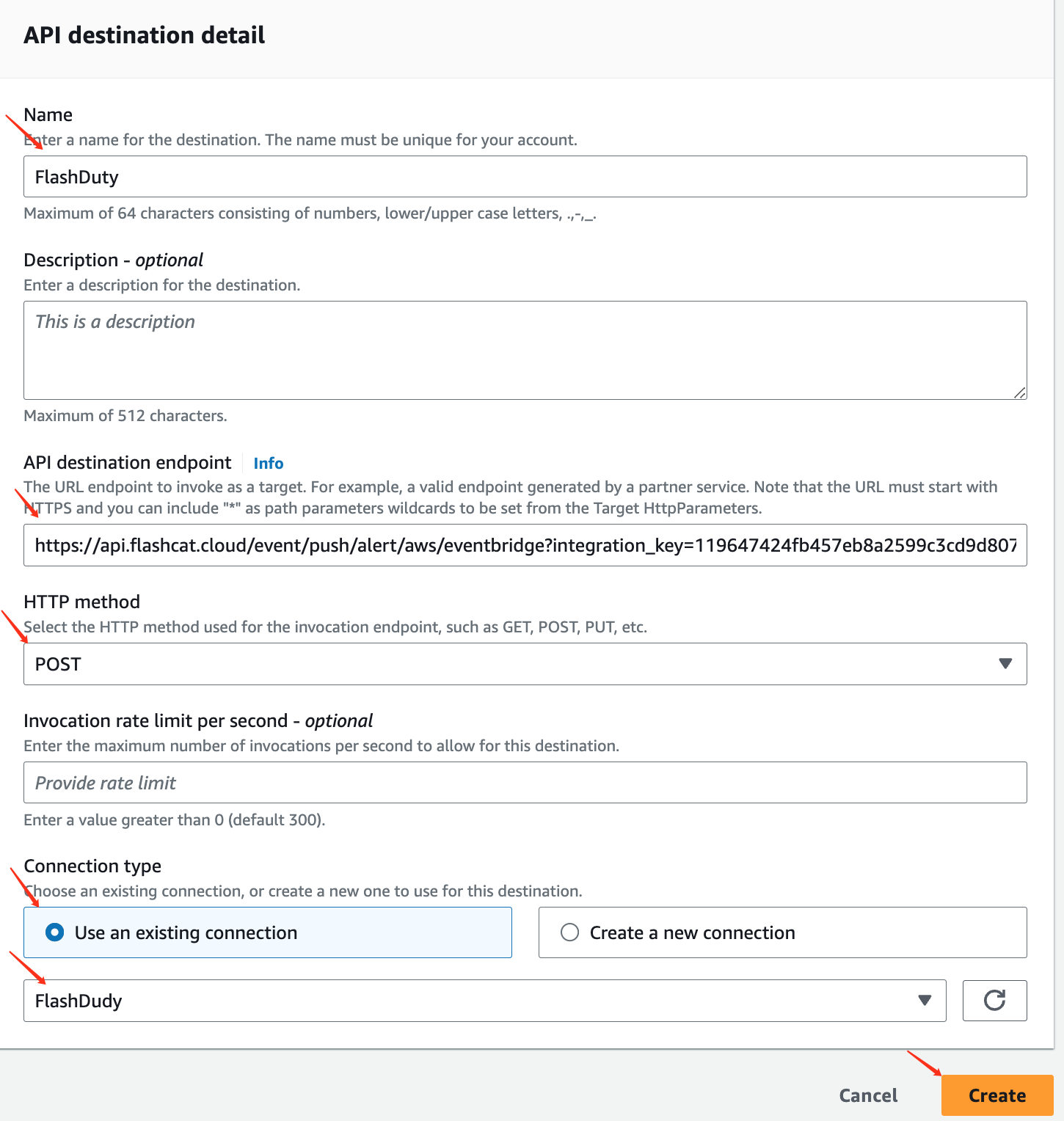
Step 3: Use the API destination created in Step 2 in EventBridge Rules
- Log in to your AWS Console, search for
Amazon EventBridgeproduct, and enter the corresponding product console - Select
Buses=>Rulesfrom the left navigation bar, create or edit existing rules - Other configurations are omitted here
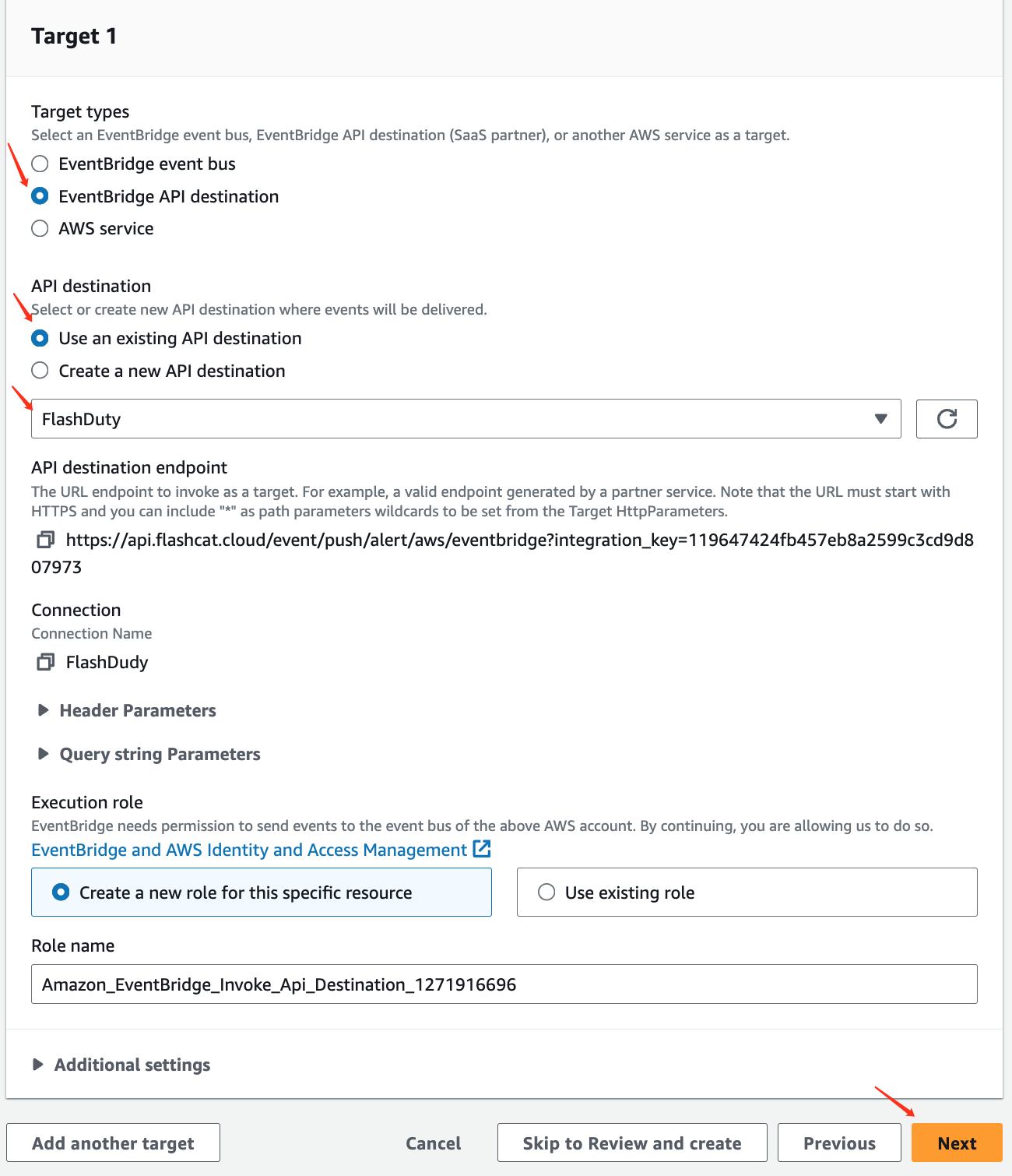
- For
Target types, selectEventBridge API destinationas the target type - Under
API destination, selectUse an existing API destinationand choose theFlashdutyAPI destination created in Step 2 from the dropdown - Click
Next, configure as needed, and save
Option 2: SNS topic
- Create an SNS topic and an HTTPS subscription as described in the AWS CloudWatch integration, using the push URL of this integration as the endpoint, and wait until the subscription status is
Confirmed - In the EventBridge rule, set
Target typestoAWS service, and chooseSNS topicand that topic as the target - Do not configure an input transformer on the target; send the full event
sns.<region>.amazonaws.com, sns.<region>.amazonaws.com.cn and sns.<region>.amazonaws.eu.
Event rule
Use an event pattern in the rule, for example:
us-east-1. Create the rule in every Region you care about.
Alert Key and recovery
- Later events of the same source (repeated GuardDuty findings, Security Hub updates, AWS Health progress) merge into the original alert
- When one Security Hub event carries several findings, each finding creates its own alert
- An event missing the Alert Key field listed above is rejected (HTTP 400)
- GuardDuty sends no event when a finding is archived, so close the alert manually
Severity
EventBridge events have no common severity field, so every event triggers as Warning, as it always has. The source’s own severity is kept in a label, and an alert pipeline can rewrite the severity based on it:
For CloudWatch alarms, set the severity with
flashduty_severity: critical (critical, warning or info) in the Alarm description, the same way as in the AWS CloudWatch integration.
Title and labels
- The alert title is
source::detail-type, for exampleaws.guardduty::GuardDuty Finding - Every event carries the labels
source,region,account,check(detail-type),detail(the eventdetailas JSON) andresources - The
summarylabel is a readable summary: the finding or alarm title for sources with dedicated handling; for other events, in order, CloudTraileventSource eventName, RDSSourceIdentifier Message, ECSgroup stoppedReason, or EC2instance-id state - Sources with dedicated handling also add source fields such as
finding_id,finding_arn,event_arn,config_rule_nameandinsight_id;resourceis the affected resource (DevOps Guru insights have none)
Troubleshooting
- API destination invocations fail: Make sure the endpoint is the full push URL including
integration_keyandHTTP methodisPOST - SNS subscription stays in
Pending confirmation: Make sure the subscription points to this integration’s push URL, then run Request confirmation in the SNS console - Alert does not recover: Check whether the rule’s event pattern filters out recovery states, and whether the target has an input transformer
- One finding creates several alerts: Make sure the event comes from a source in the table above and its
detail-typeis not rewritten