

In Flashduty On-call
You can get the integration push URL in either of the following ways.Use a dedicated integration
Choose this option if all alerts go to one channel. It’s the simpler setup.View dedicated integration setup steps
View dedicated integration setup steps
- In the Flashduty console, select Channel and open a channel
- Select Configuration → Integrations → Private integration, then click Add integration
- Choose Grafana integration and click Save to generate a card
- Open the generated integration card and copy the Push URL
Use a shared integration
Choose this option if you need to route alerts to different channels based on the alert payload.Configure Grafana
Grafana 4–8 use Legacy Alerting by default, Grafana 9 and later use Grafana Alerting by default, and Grafana 11 removed Legacy Alerting. For the differences and how to switch, see the Grafana alerting opt-in documentation.1
Add a webhook contact point in Grafana
- Grafana 12
- Grafana 9–11
- Legacy Alerting (4–8)
Where: Grafana › Alerts & IRM › Alerting › Notification configuration › Contact points › + New contact point
Then click Save contact point.
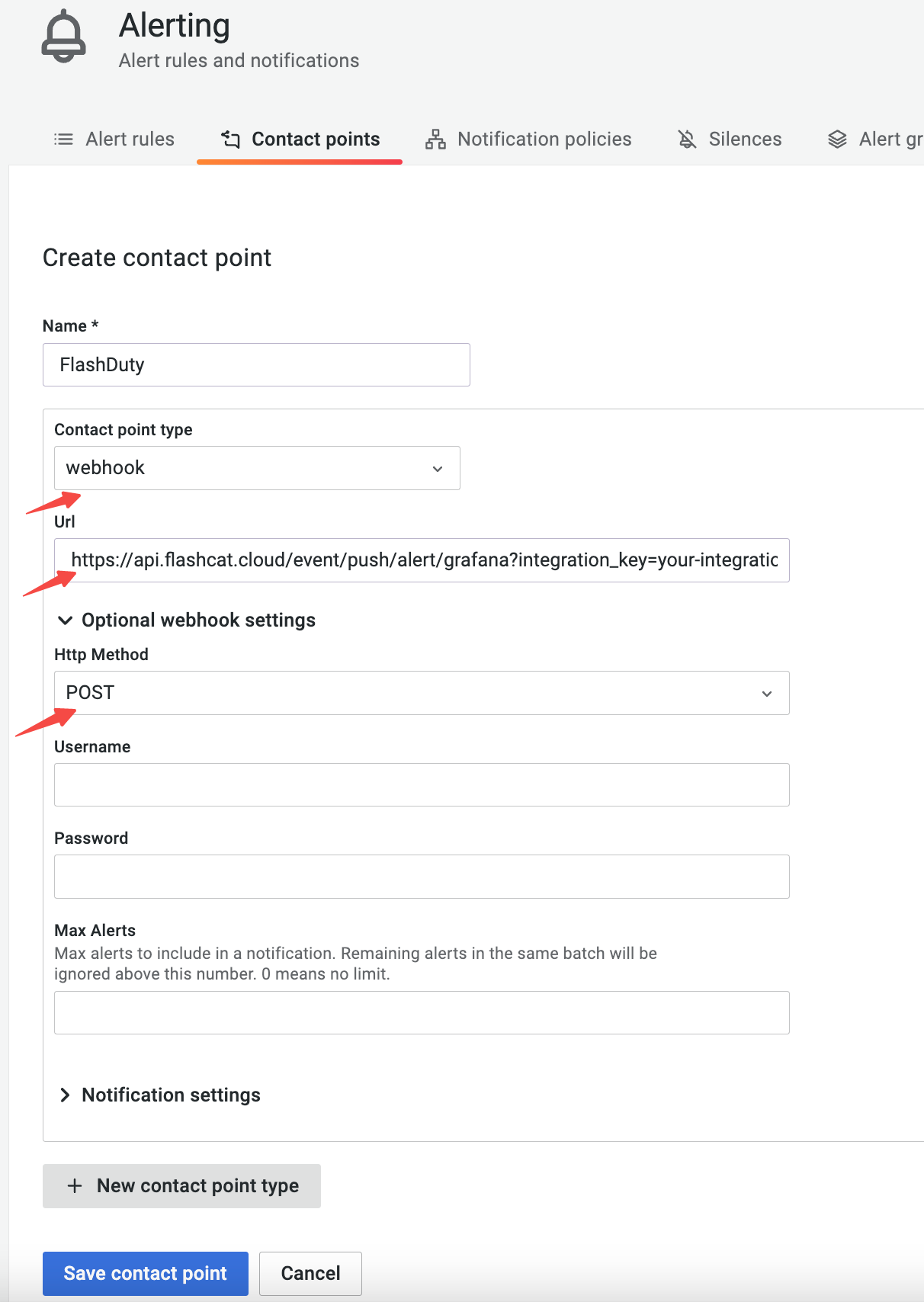
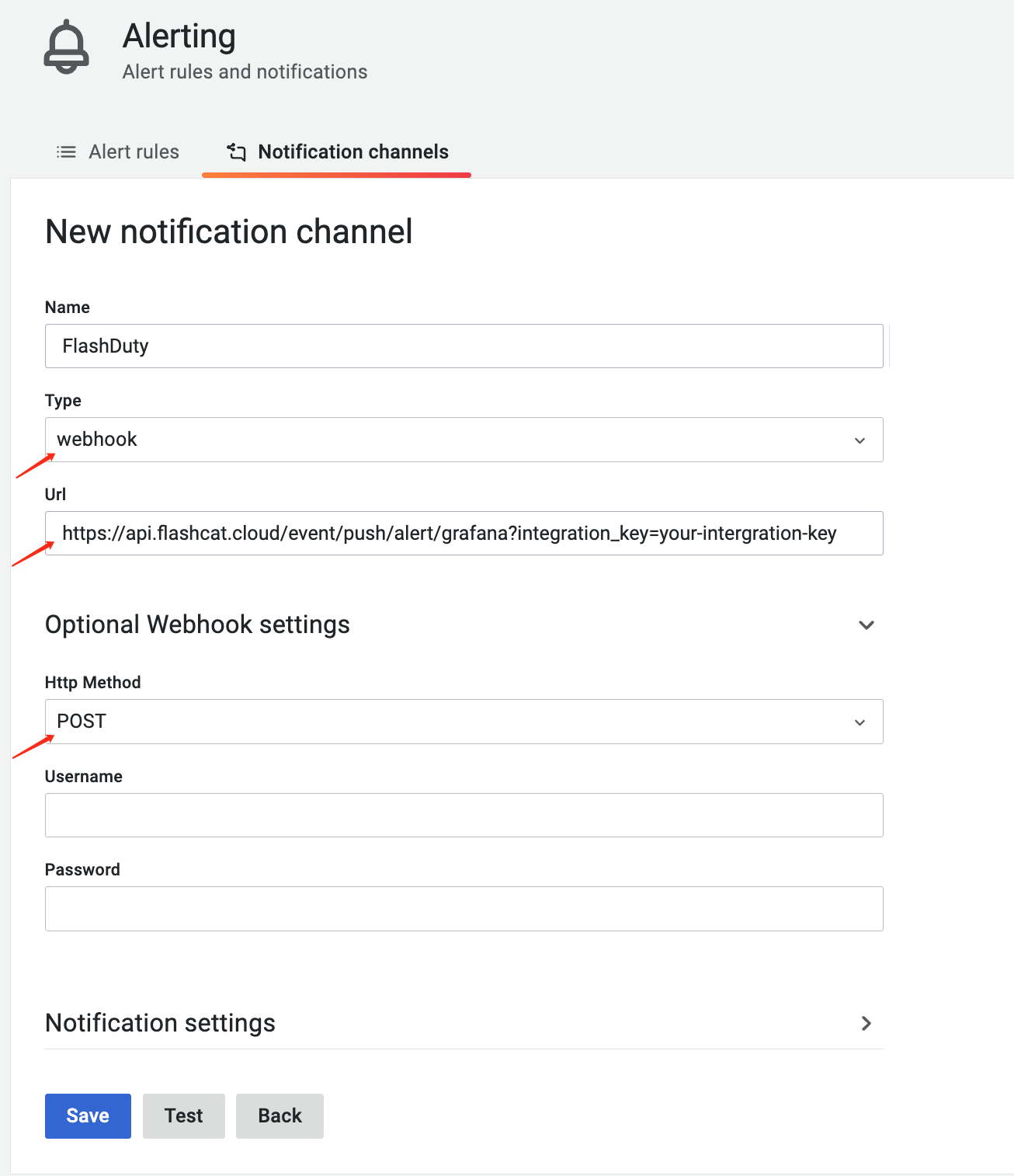
2
Send alerts to the contact point in Grafana
- Grafana 9 and later
- Legacy Alerting (4–8)
Where: Grafana › Alerts & IRM › Alerting › Notification policies › Default policy › … › EditIn Grafana 12, Notification policies is under Notification configuration.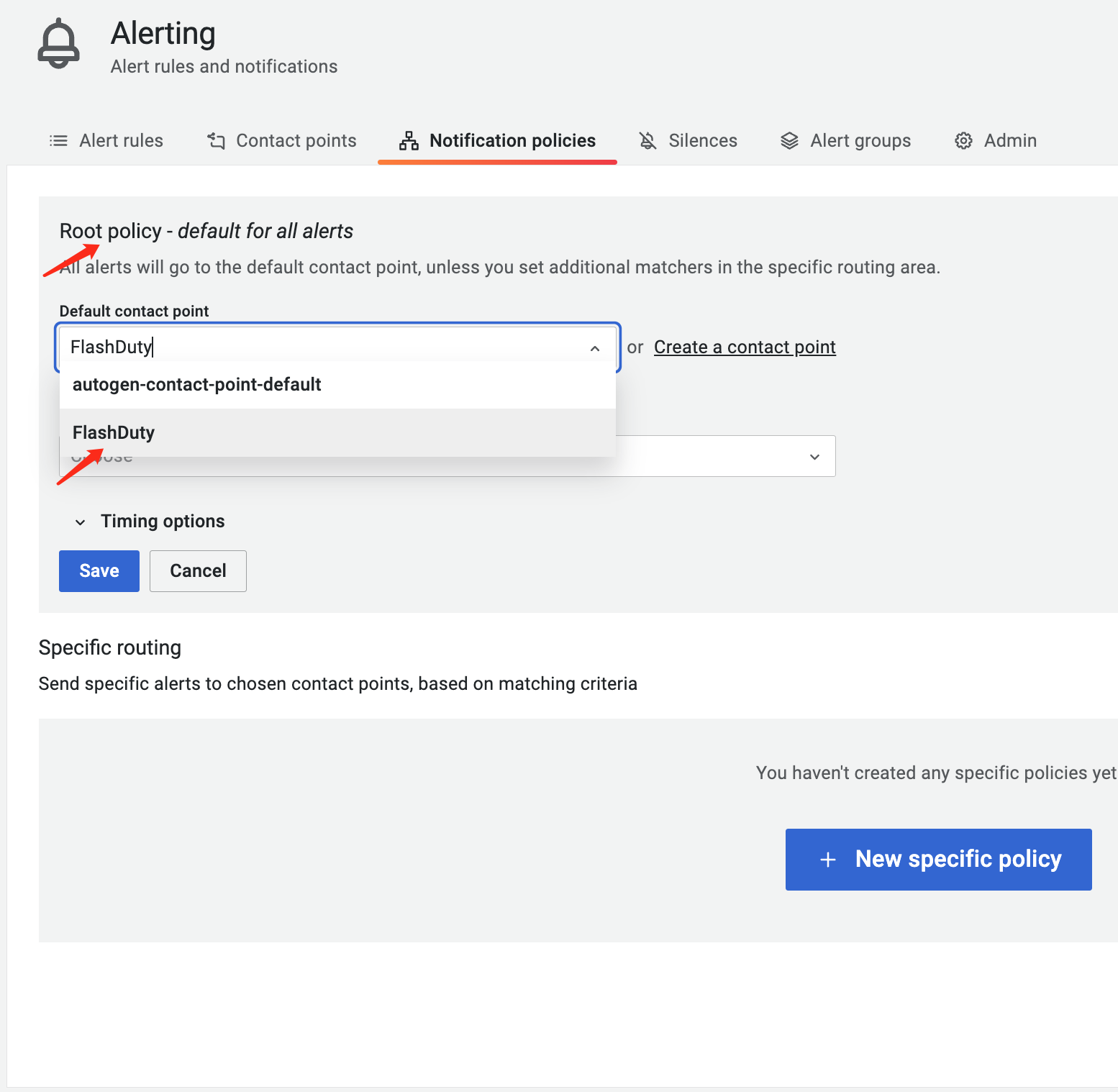
- To send all alerts to Flashduty: set Default contact point to the contact point from the previous step, then click Save.
- To send only some alerts: click +New child policy, add conditions under Matching labels, select the contact point from the previous step in Contact point, then click Save policy.
3
Send a test notification from Grafana and confirm
Where: Grafana › Alerts & IRM › Alerting › Contact points › your contact point › Edit › TestChoose the predefined test notification and click Send test notification. In Grafana 12, Contact points is under Notification configuration. Legacy Alerting has no such test entry, so wait for a real alert to fire.After a few seconds, go back to Flashduty. If the integration shows a Latest event time, the setup works.
Status and severity
Legacy Alerting to Flashduty severity mapping: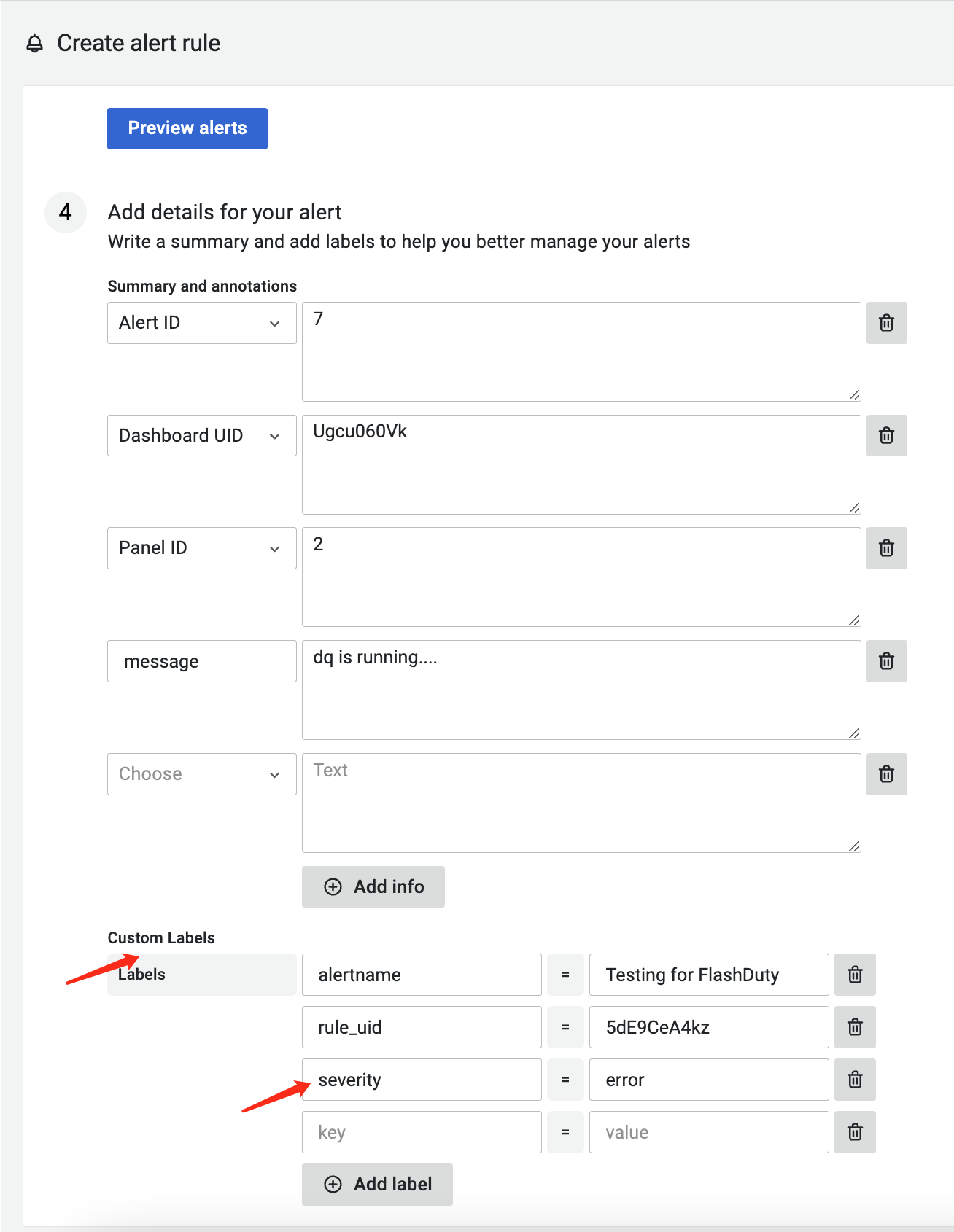
Grafana Alerting to Flashduty severity mapping:Flashduty reads the
severity, priority, and level labels in that order and uses the first value found as the Grafana severity. If none exists, the severity is warning.To set the severity, edit the alert rule and add a severity label under Labels (in Grafana 12, under Set folder and labels). Use a value from the table below: