

In Flashduty On-call
You can get the integration push URL in either of the following ways.Use a dedicated integration
Choose this option if all alerts go to one channel. It’s the simpler setup.View dedicated integration setup steps
View dedicated integration setup steps
- In the Flashduty console, select Channel and open a channel
- Select Configuration → Integrations → Private integration, then click Add integration
- Choose Influxdata integration, click Save to generate a card
- Open the generated integration card and copy the Push URL
Use a shared integration
Choose this option if you need to route alerts to different channels based on the alert payload.In Influxdata
Supports Influxdata versions 1.x ~ 2.x, with different configurations for each version, described in the tabs of each step.1
Create a push channel in Influxdata
- Version 2.x
- Version 1.x
Where: InfluxDB console › Alerts › Alerts › Notification Endpoints › Create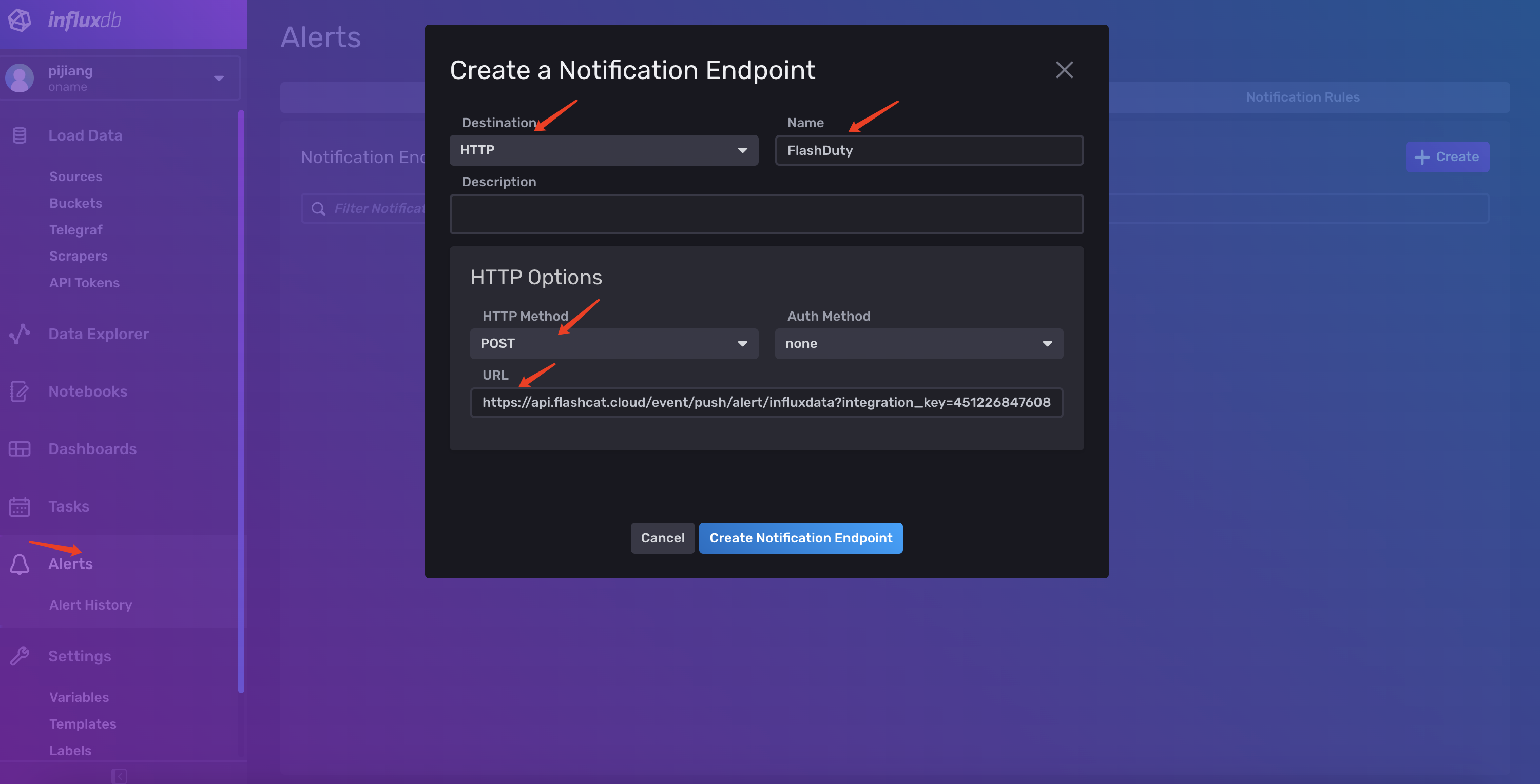
Click Create Notification Endpoint after filling in.
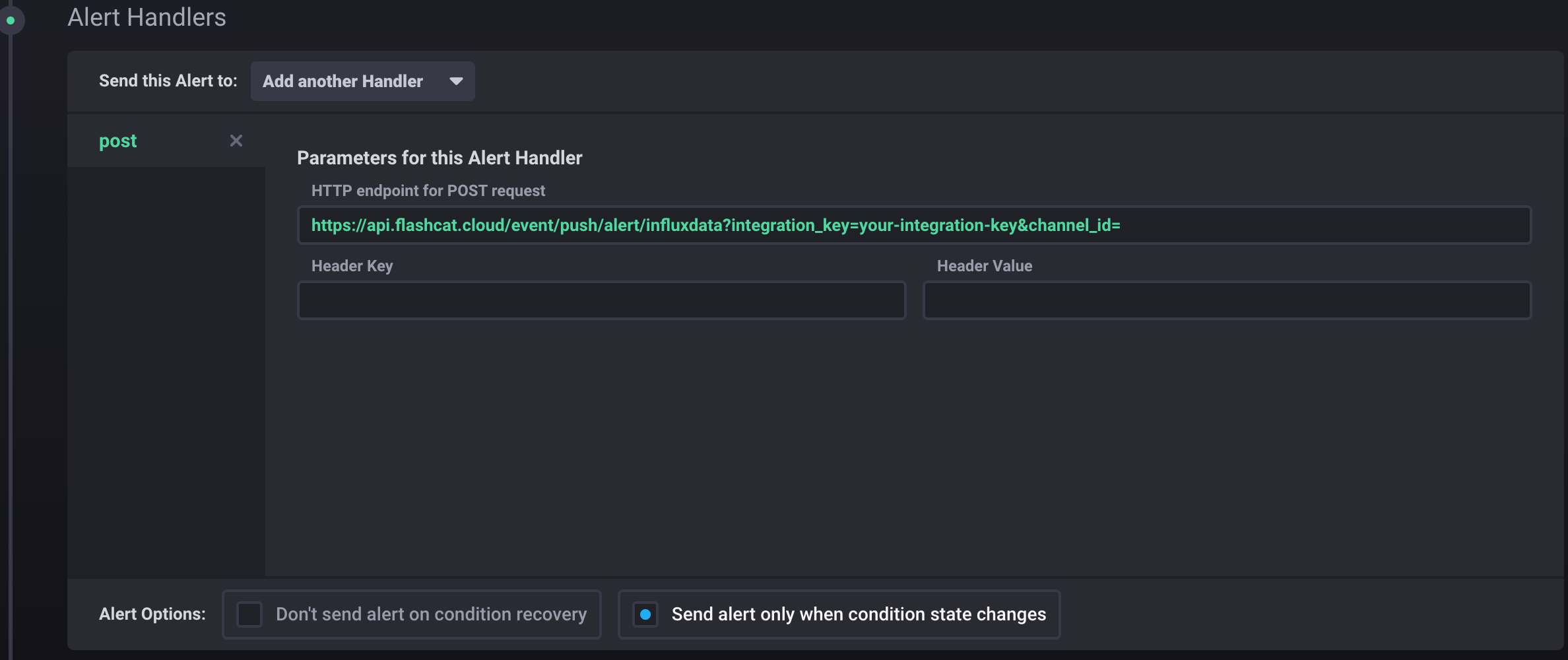
2
Use the channel in Influxdata
- Version 2.x
- Version 1.x
Where: InfluxDB console › Alerts › Alerts › Notification Rules › Create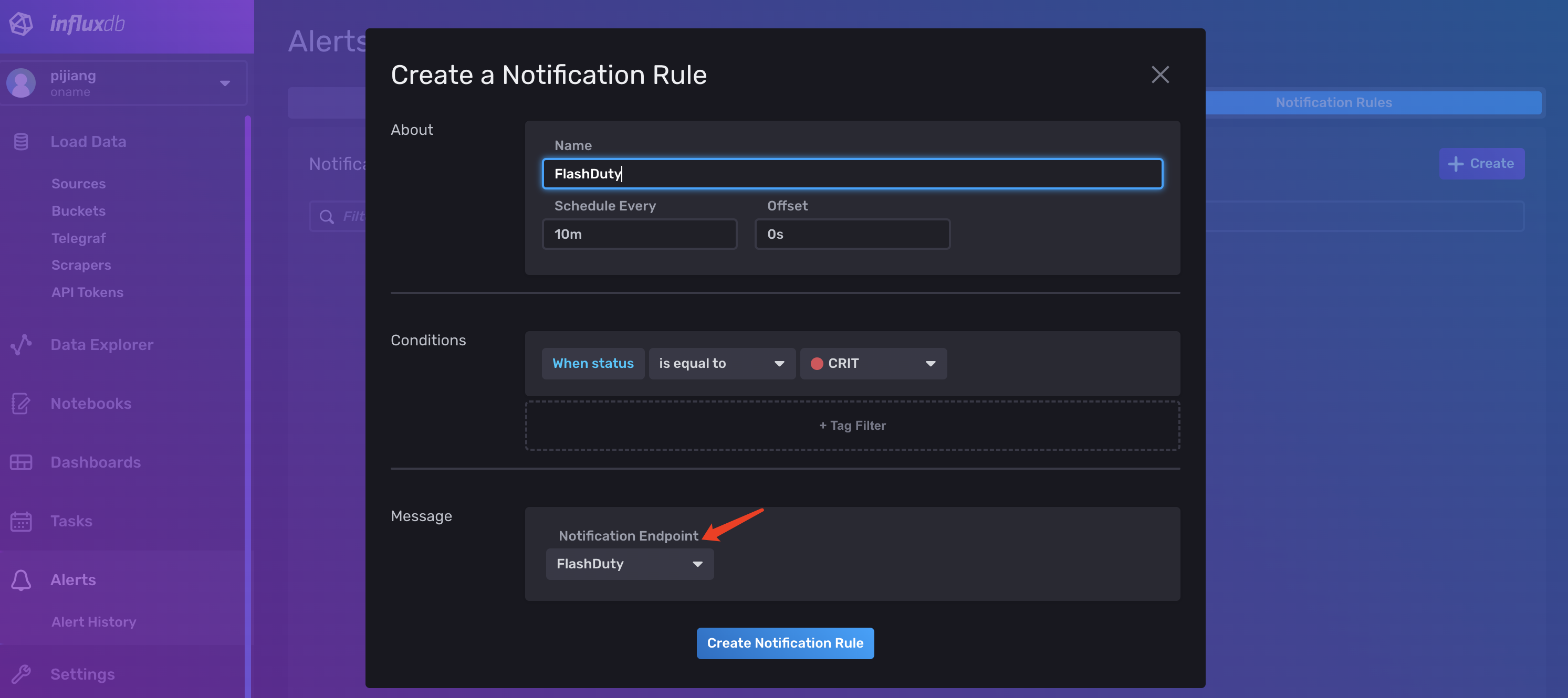
Click Create Notification Rule after filling in. A notification rule pushes only when the status equals the selected one. To recover alerts in Flashduty automatically, create another rule with status
OK that uses the same Flashduty endpoint.3
Trigger an alert and confirm Flashduty receives the event
Where: InfluxDB console › Alerts › Alerts › Notification Rules (2.x); Chronograf › Alerting › Alert Rules (1.x)Neither version has an entry that sends a test event directly, so wait for the rule to be triggered by real data. After a few seconds, go back to Flashduty. If the integration shows a Latest event time, the setup works and events are being received.
Using Kapacitor directly (without Chronograf)
Thepost handler in Chronograf is Kapacitor’s post event handler. When using Kapacitor directly, add .post('<push URL>') to the alert() node of the TICKscript, or use a topic handler (kind: post, with the push URL in options.url). For the full steps, see Kapacitor Alert Integration.
Status and severity
Mapping relationship between Influxdata alert events and Flashduty alert severity:
Requests with any other 1.x
level are rejected.