

In Flashduty On-call
You can get the integration push URL in either of the following ways.Use a dedicated integration
Choose this option if all alerts go to one channel. It’s the simpler setup.View dedicated integration setup steps
View dedicated integration setup steps
- In the Flashduty console, select Channel and open a channel
- Select Configuration → Integrations → Private integration, then click Add integration
- Choose Jiankongbao integration and click Save to generate a card
- Open the generated integration card and copy the Push URL
Use a shared integration
Choose this option if you need to route alerts to different channels based on the alert payload.In Jiankongbao
This integration also covers Cloudwise Jiankongbao (including Jiankongbao 6) URL callback notifications.1
Add a URL callback in Jiankongbao
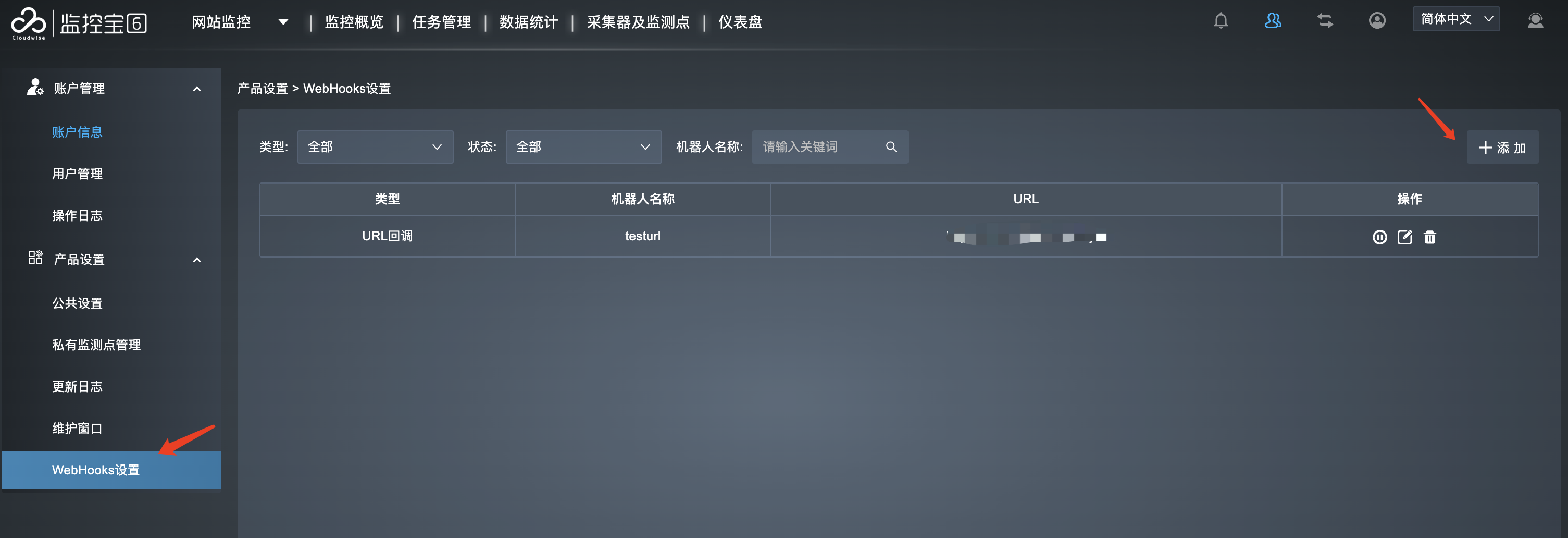
Where: Jiankongbao console › Personal Configuration (upper right) › Webhooks Settings › Add › URL Callback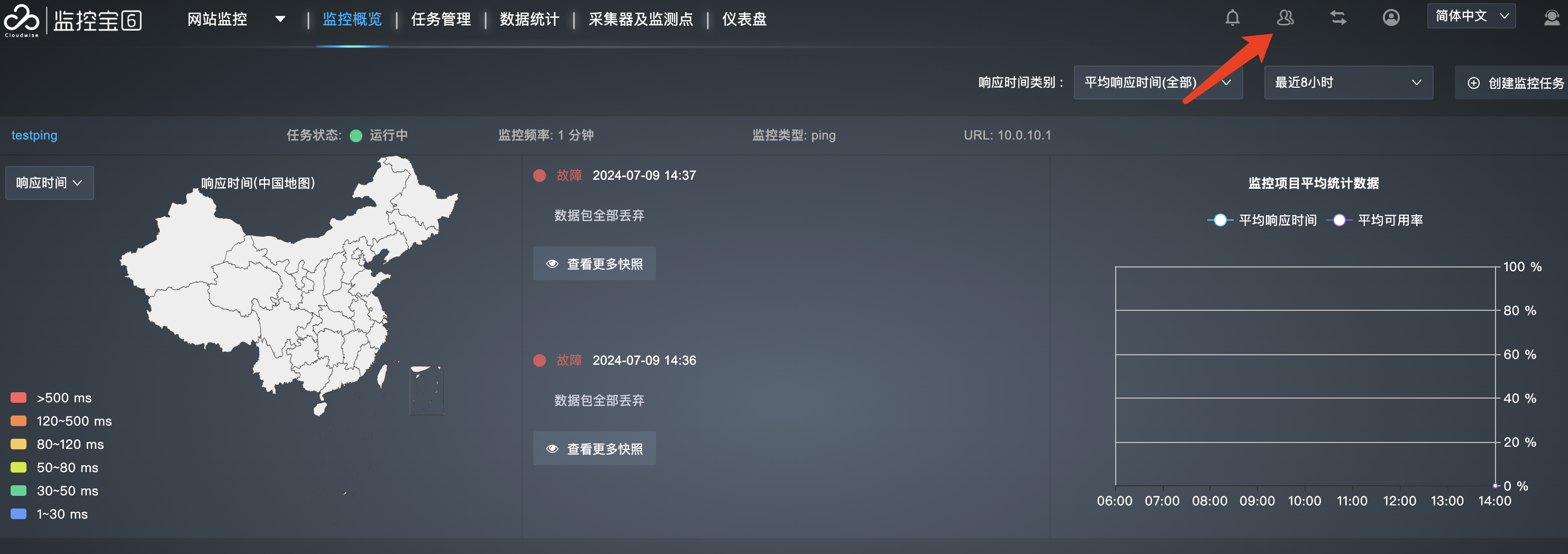
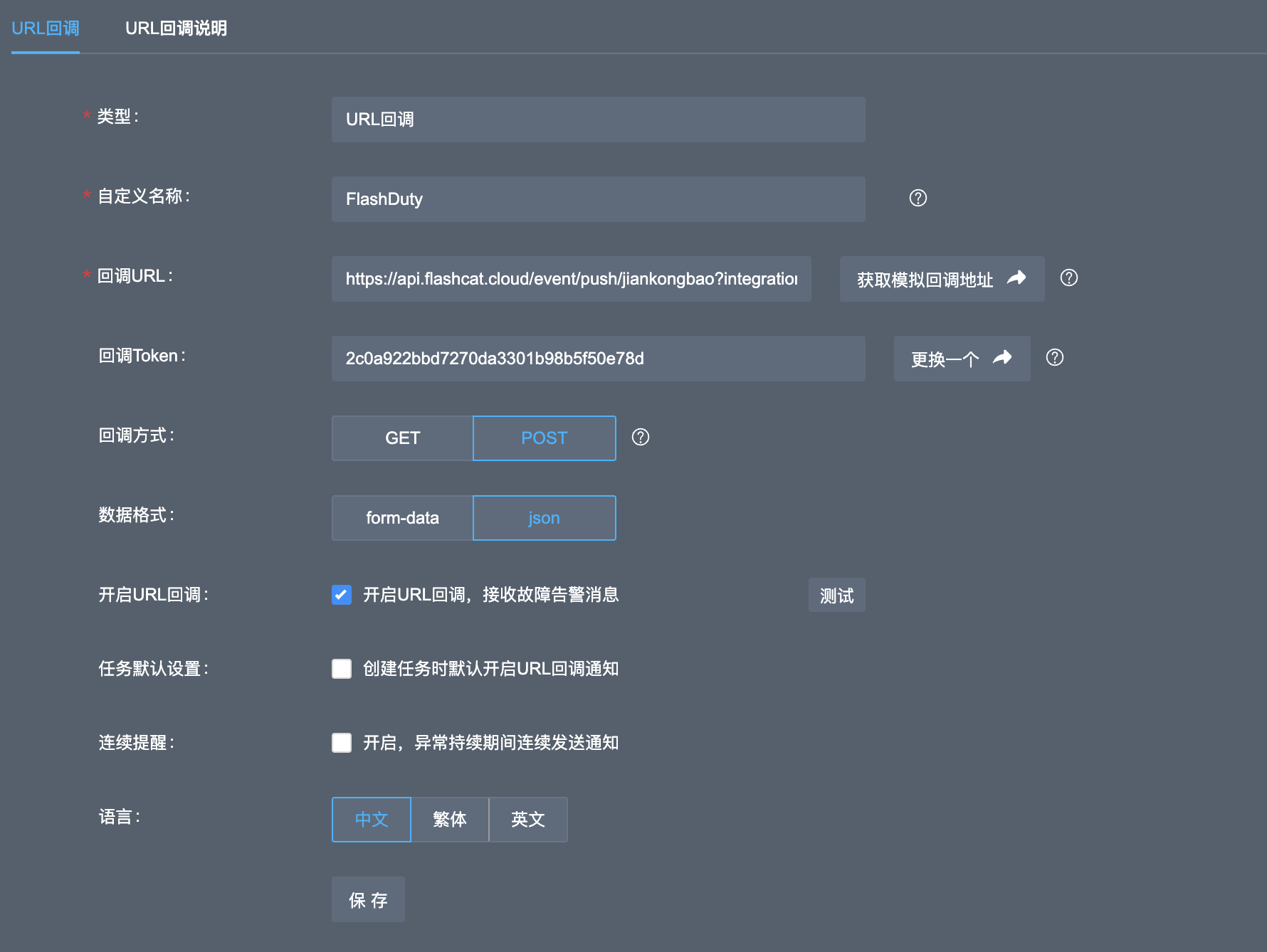
Configure other options as needed and click Save.
2
Use the webhook channel in a monitoring task
Where: Jiankongbao console › Monitoring Tasks › Create (or edit an existing task) › Webhook notification
Fill in other alert settings as needed and save the monitoring task.
3
Trigger an alert and confirm
Jiankongbao has no standalone callback test. Let the task raise an alert, or wait for a real one.Go back to Flashduty. If the integration shows a Latest event time, the setup works.