

In Flashduty On-call
You can get the integration push URL in either of the following ways.Use a dedicated integration
Choose this option if all alerts go to one channel. It’s the simpler setup.View dedicated integration setup steps
View dedicated integration setup steps
- In the Flashduty console, select Channel and open a channel
- Select Configuration → Integrations → Private integration, then click Add integration
- Choose Tencent Cloud EventBridge integration and click Save to generate a card
- Open the generated integration card and copy the Push URL
Use a shared integration
Choose this option if you need to route alerts to different channels based on the alert payload.Configure Tencent Cloud EventBridge
1
Create an event rule in EventBridge
Where: Tencent Cloud console › EventBridge › 事件规则 (Event Rules) (select the region and event set at the top of the list) › 新建 (New)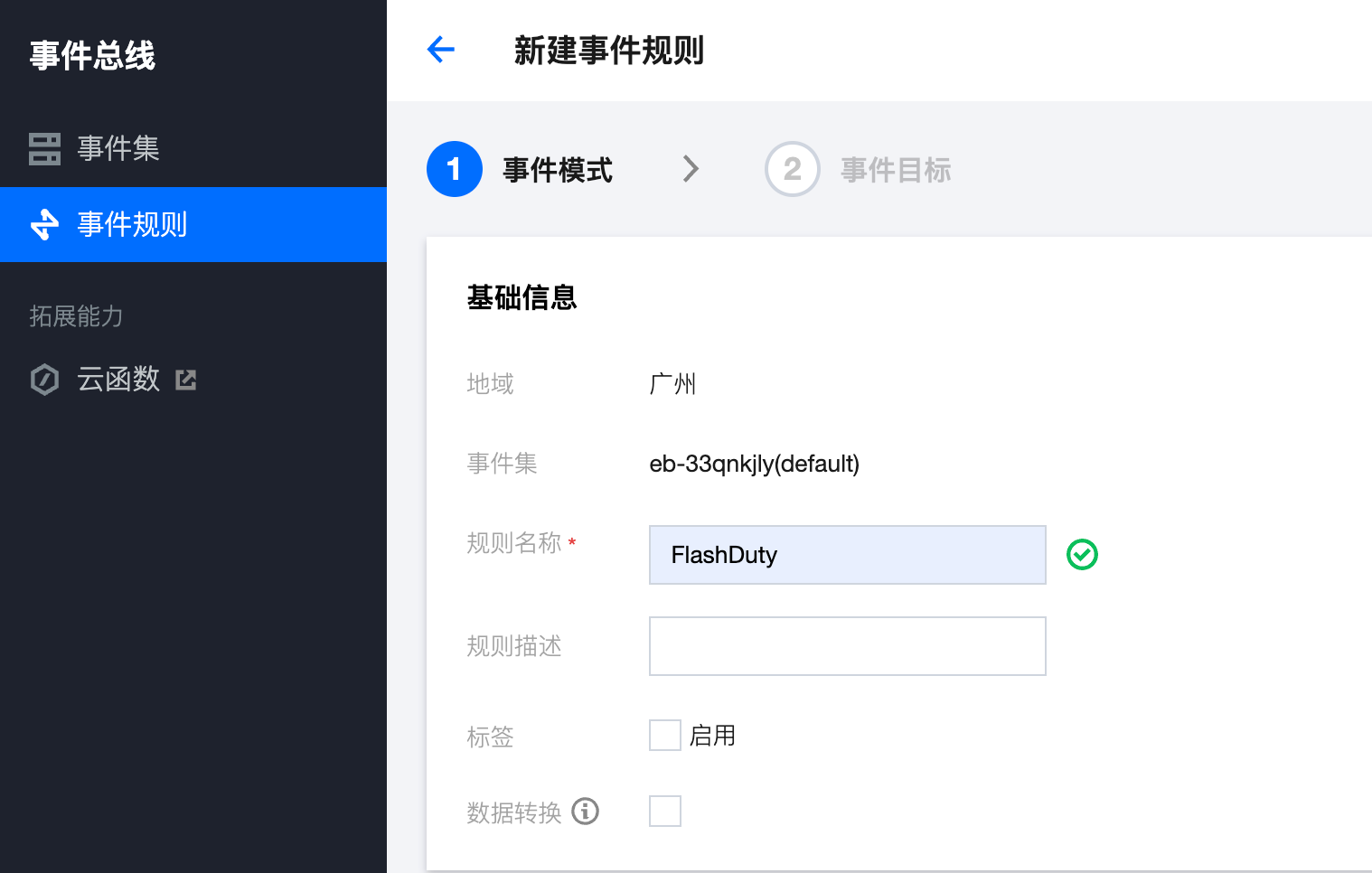 JSON that matches all events:
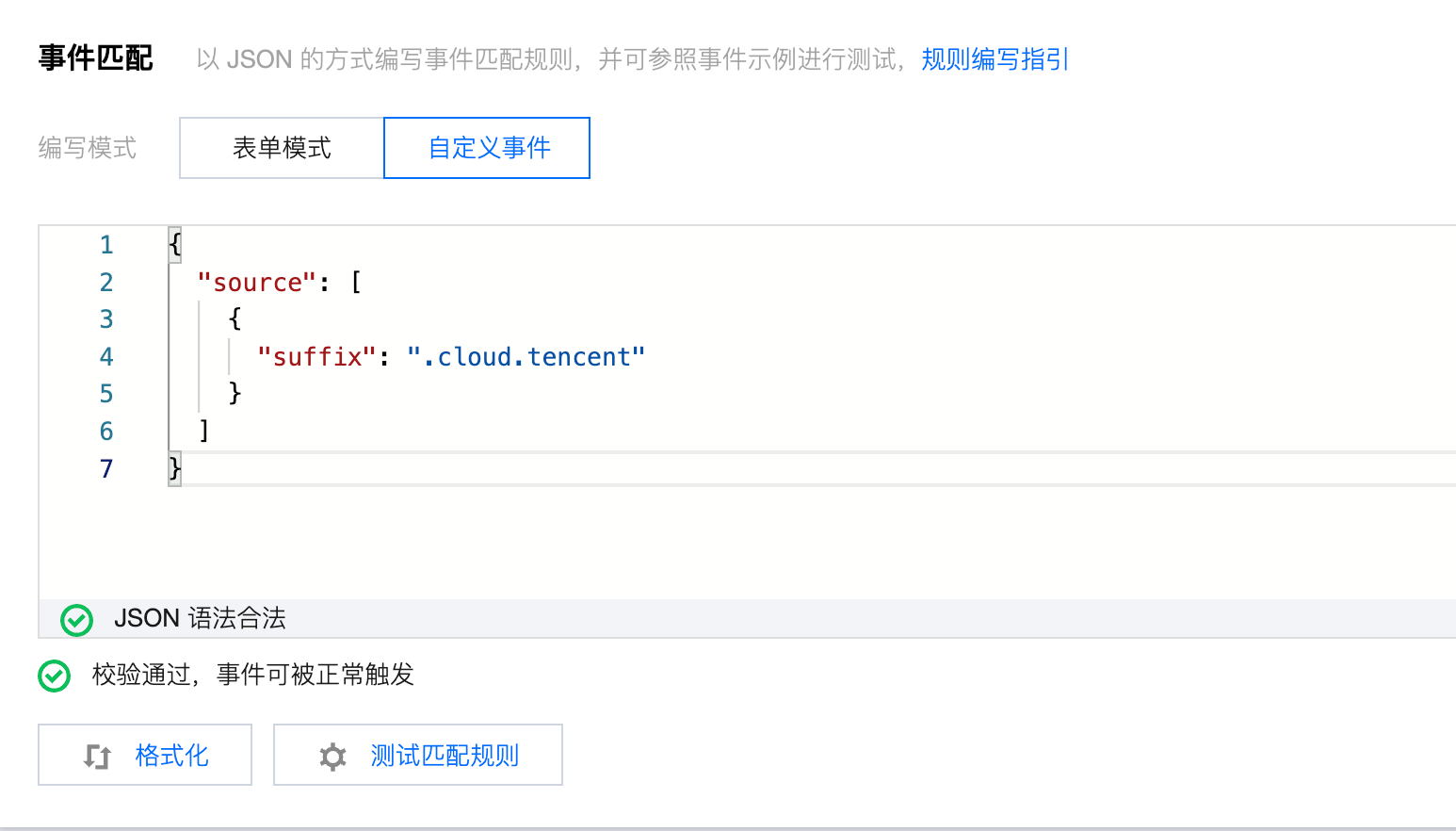
JSON that matches all events:2
Set the event target to the Flashduty webhook
Where: Tencent Cloud console › EventBridge › 事件规则 (Event Rules) › 新建 (New) › Next (event target)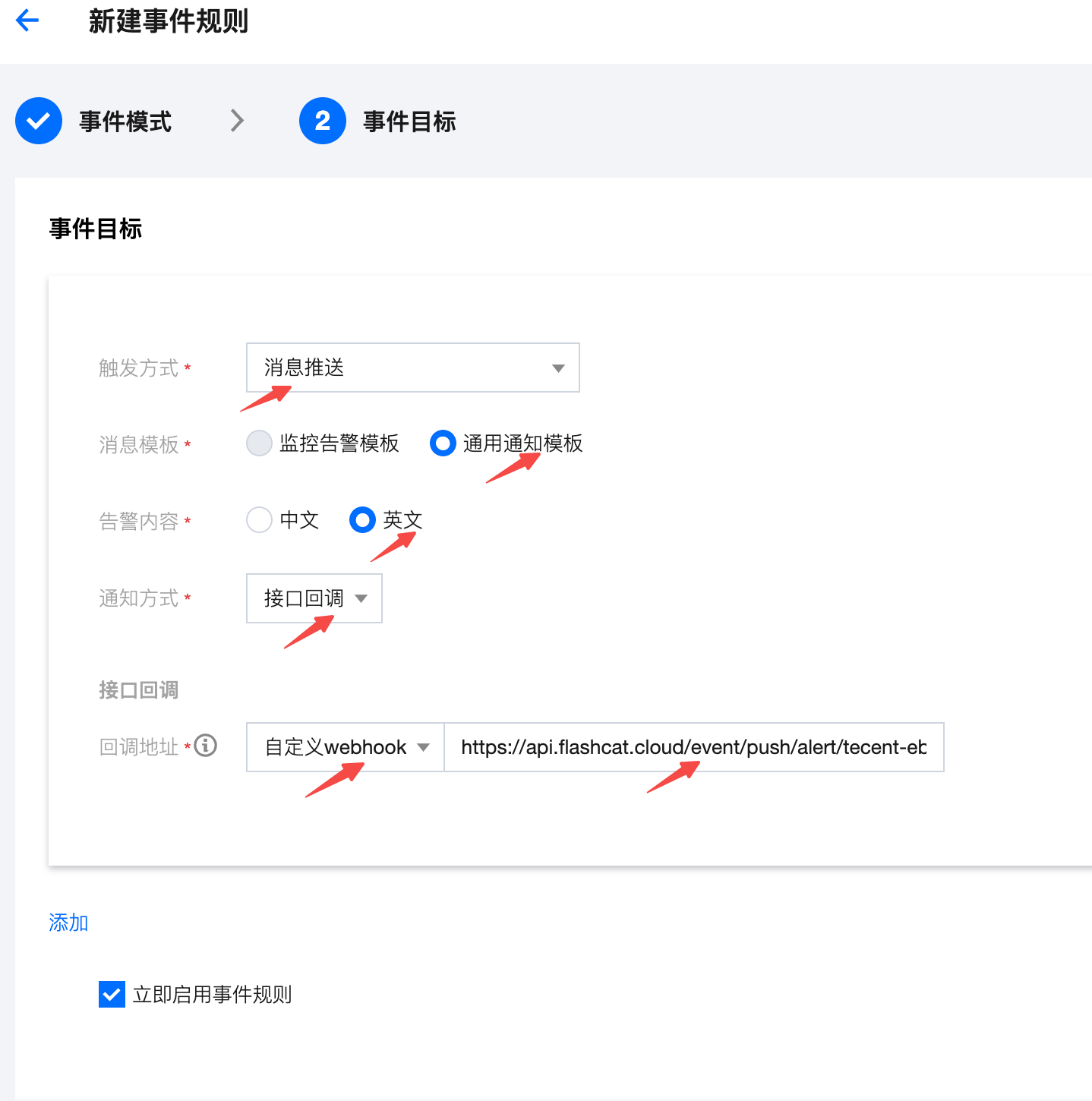
Click Save.
3
Send a test event and confirm
Where: Tencent Cloud console › EventBridge › 事件集 (Event Sets) › your event set › 发送事件 (Send Event)Select an event set and click Send Event. Return to Flashduty. If the integration shows a latest event time, the setup works.
Status and severity
All Tencent Cloud EventBridge events correspond to “warning” severity level alerts in Flashduty.