

In Flashduty On-call
You can get the integration push URL in either of the following ways.Use a dedicated integration
Choose this option if all alerts go to one channel. It’s the simpler setup.View dedicated integration setup steps
View dedicated integration setup steps
- In the Flashduty console, select Channel and open a channel
- Select Configuration → Integrations → Private integration, then click Add integration
- Select Tencent Cloud Monitor CM integration and click Save to generate a card
- Open the generated integration card and copy the Push URL
Use a shared integration
Choose this option if you need to route alerts to different channels based on the alert payload.Configure Tencent Cloud Observability Platform (CM)
1
Create a notification template in Tencent Cloud Observability Platform
Where: Tencent Cloud console › Tencent Cloud Observability Platform (formerly Cloud Monitor) › 告警管理 (Alarm Management) › 告警配置 (Alarm Configuration) › 通知模板 (Notification Templates) › 新建通知模板 (New Notification Template)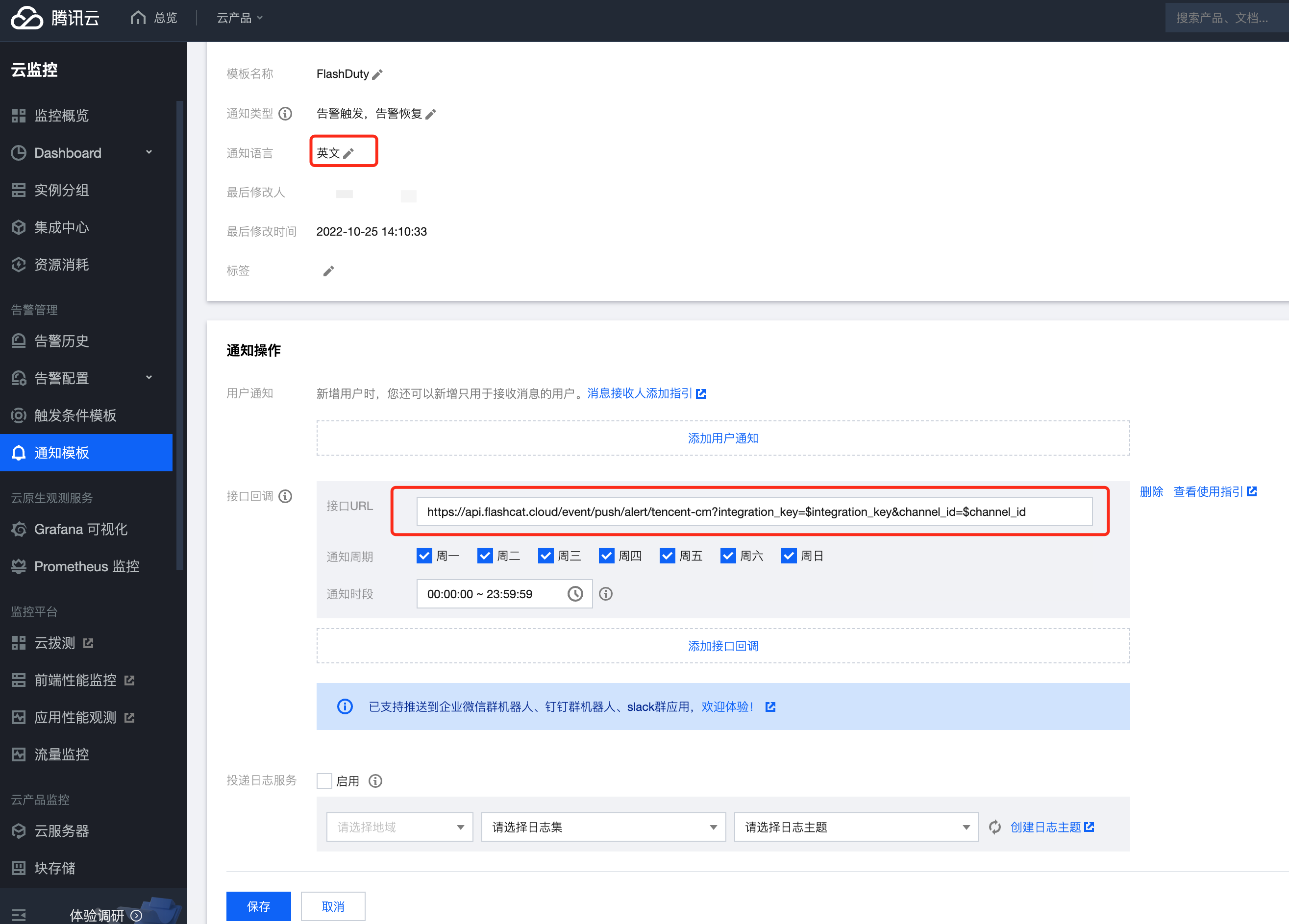
Click Complete. Saving validates the callback URL once: an HTTP 200 response passes, with a 5-second timeout.
2
Add the template to your alert policies
Where: Tencent Cloud console › Tencent Cloud Observability Platform (formerly Cloud Monitor) › 告警管理 (Alarm Management) › 告警配置 (Alarm Configuration) › 告警策略 (Alarm Policies) › 新建策略 (New Policy) / your policy › Edit › 告警通知模板 (Notification Template)In every alert policy that should send events to Flashduty, add the notification template you created, then save the policy.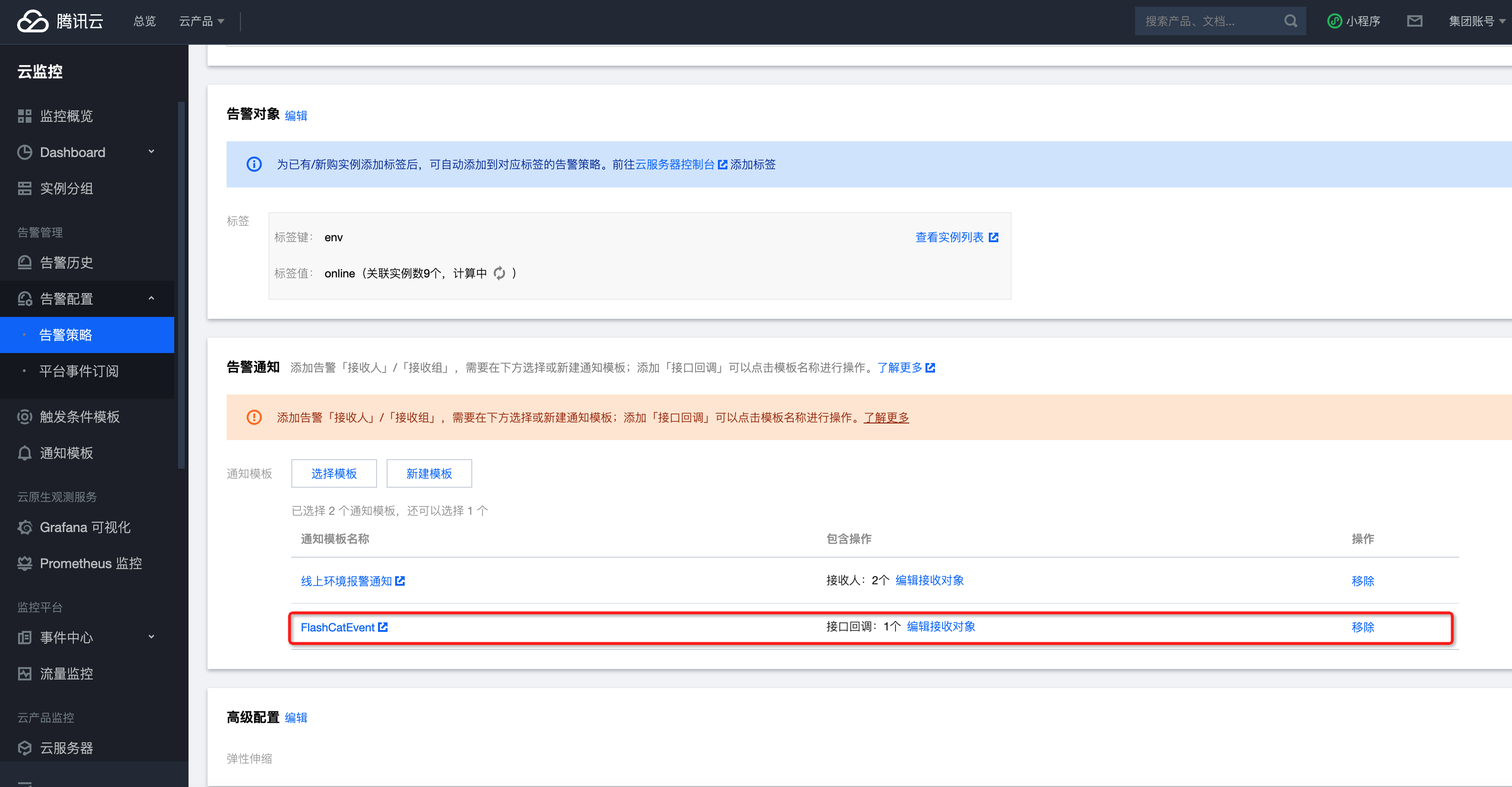
3
Confirm Flashduty receives events
Saving the template validates the callback URL once but does not create a Flashduty event. Wait for a real alert from a linked policy.If a push fails, Tencent Cloud retries up to 3 times with a 5-second timeout each. Repeat alerts also notify.After an alert fires, return to Flashduty. If the integration shows a latest event time, the setup works.
Status and severity
When
alarmLevel is present, Flashduty maps the alert severity as follows:When
alarmLevel is missing or unrecognized, Flashduty uses the default severity for the alert type:Recovery is evaluated independently: an
event alert is resolved (OK) when recoverTime is not 0; all other alert types are resolved (OK) when alarmStatus is 0.