

In Flashduty On-call
You can get the integration push URL in either of the following ways.Use a dedicated integration
Choose this option if all alerts go to one channel. It’s the simpler setup.View dedicated integration setup steps
View dedicated integration setup steps
- In the Flashduty console, select Channel and open a channel
- Select Configuration → Integrations → Private integration, then click Add integration
- Choose OceanBase integration and click Save to generate a card
- Open the generated integration card and copy the Push URL
Use a shared integration
Choose this option if you need to route alerts to different channels based on the alert payload.In OceanBase
1
Create an alert channel in OceanBase
Where: OceanBase OCP console › Alert Center › Alert Channels › New Channel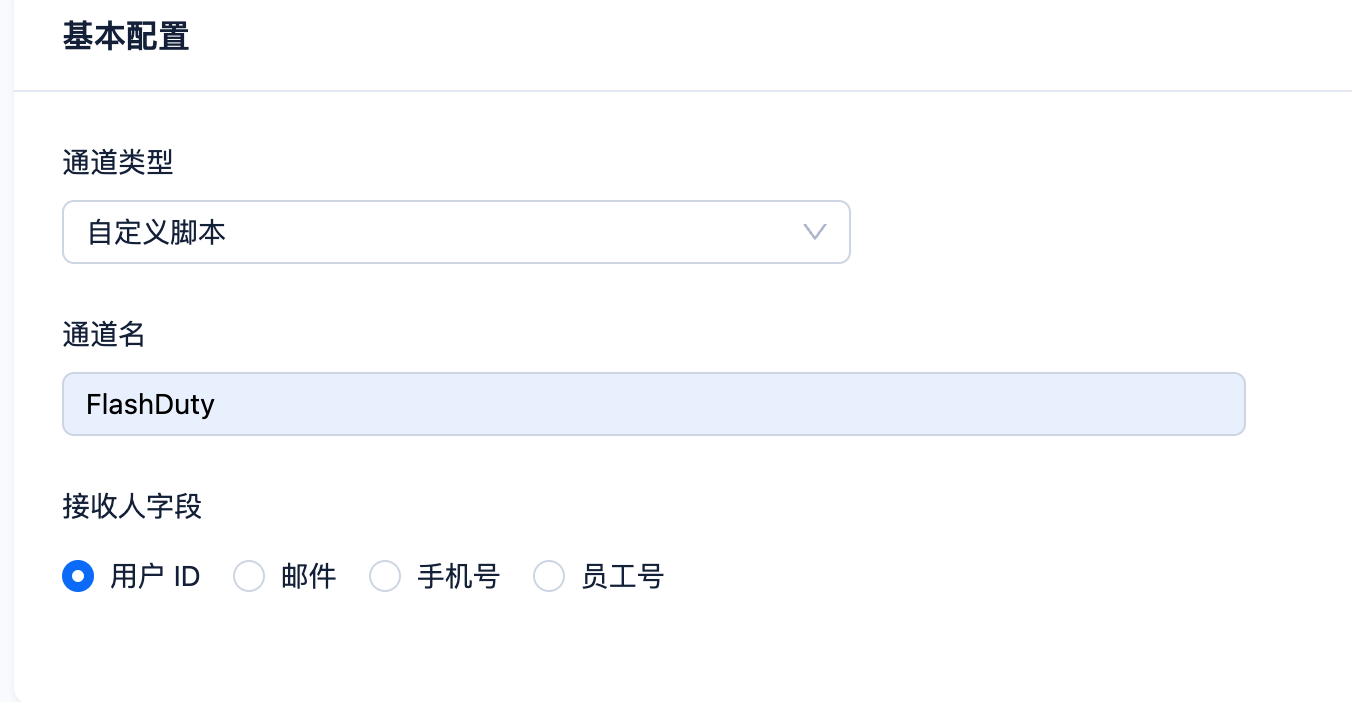 Copy the following script content into the channel configuration. In the console, Alert message template:
Copy the following script content into the channel configuration. In the console, address and INTEGRATION_KEY in the script are filled in with the push domain and integration_key of the current integration; if you are reading this on the docs site, set INTEGRATION_KEY to the integration_key value from your Flashduty push URL. The script compares the Chinese level and status names that OCP sends (for example 停服 and 严重), so the message template and push language must be Simplified Chinese.The script uses a Bash function to escape backslashes, double quotes, and characters such as newlines in alert descriptions. It does not require jq. Run the script with Bash.2
Configure alert push in OceanBase
Where: OceanBase OCP console › Alert Center › Alert Push › New Push Configuration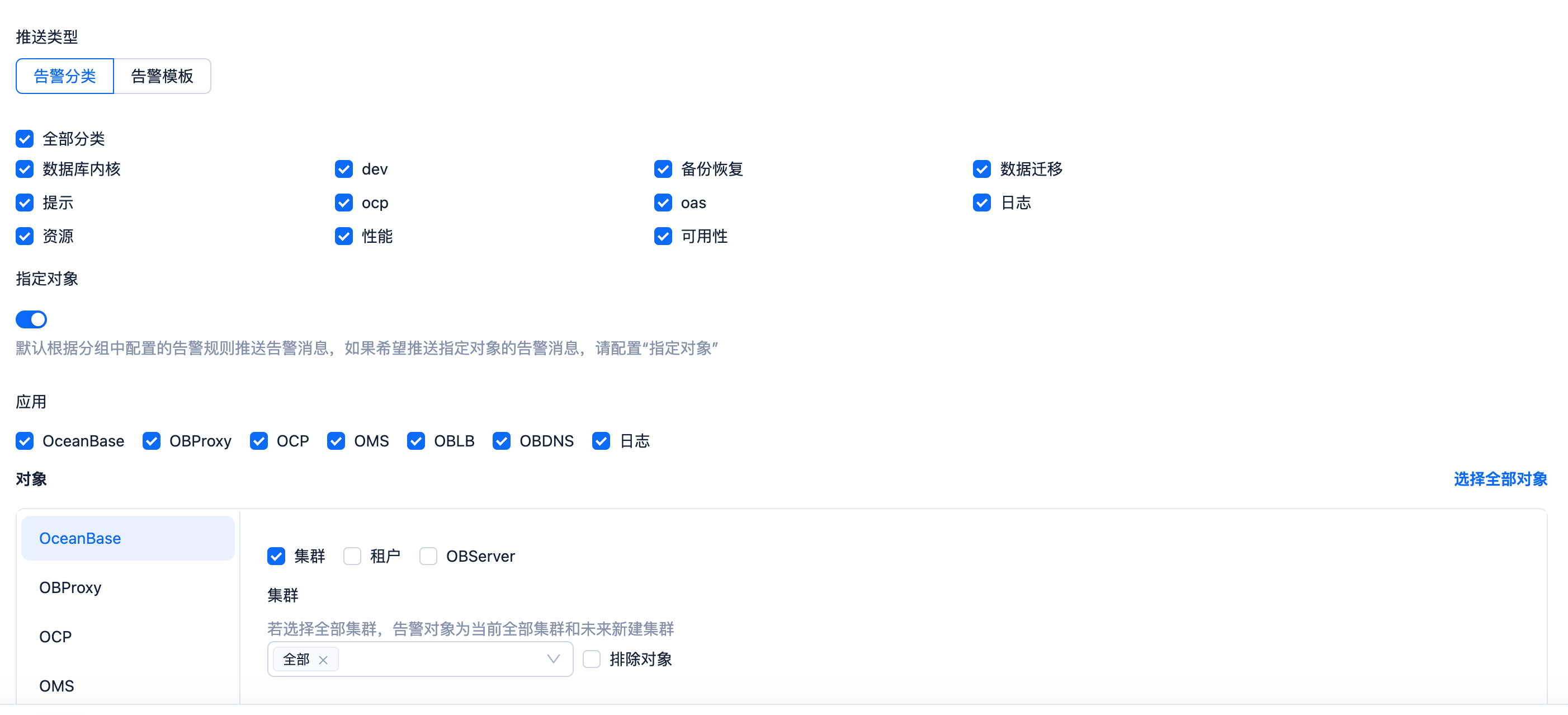
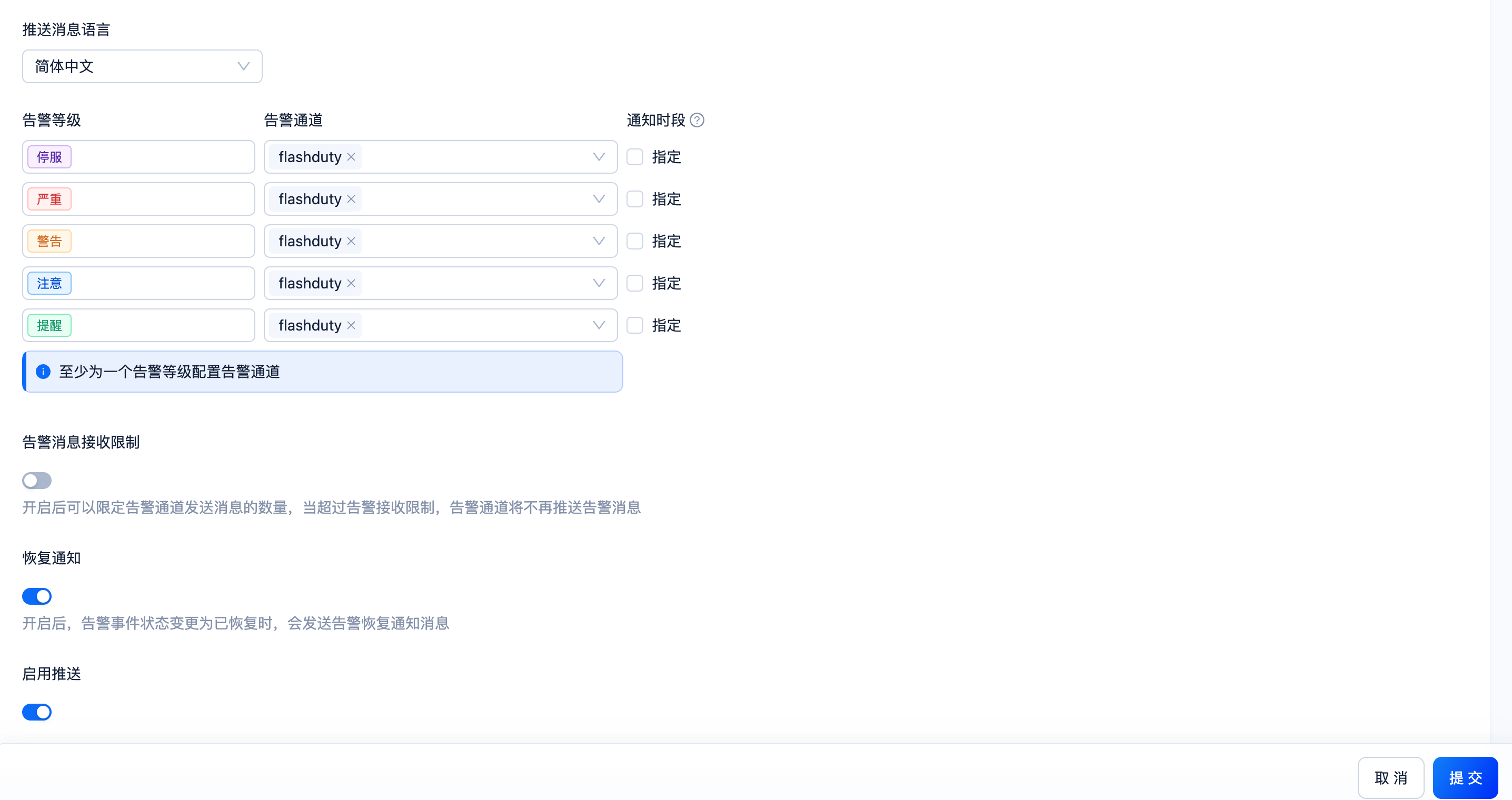
Submit after filling in.
3
Trigger an alert and confirm Flashduty receives the event
Where: OceanBase OCP console › Alert CenterThe script relies on variables OCP injects into real alerts, so wait for a real alert within the subscription scope; alerts in a shielded or suppressed state are not pushed. After a few seconds, go back to Flashduty. If the integration shows a Latest event time, the setup works. With recovery notification enabled, an
Ok event is pushed when the alert recovers and the corresponding alert in Flashduty recovers automatically.Status and severity
Ok; shielded or suppressed alerts are not pushed.